.png?width=201&height=201&name=Maintenance%20(Videoannonce%20%E2%80%93%20LinkedIn).png)

How to Optimize Flight School Scheduling in 2026
 Amalie Rasmussen
·
11 minute read
Amalie Rasmussen
·
11 minute read
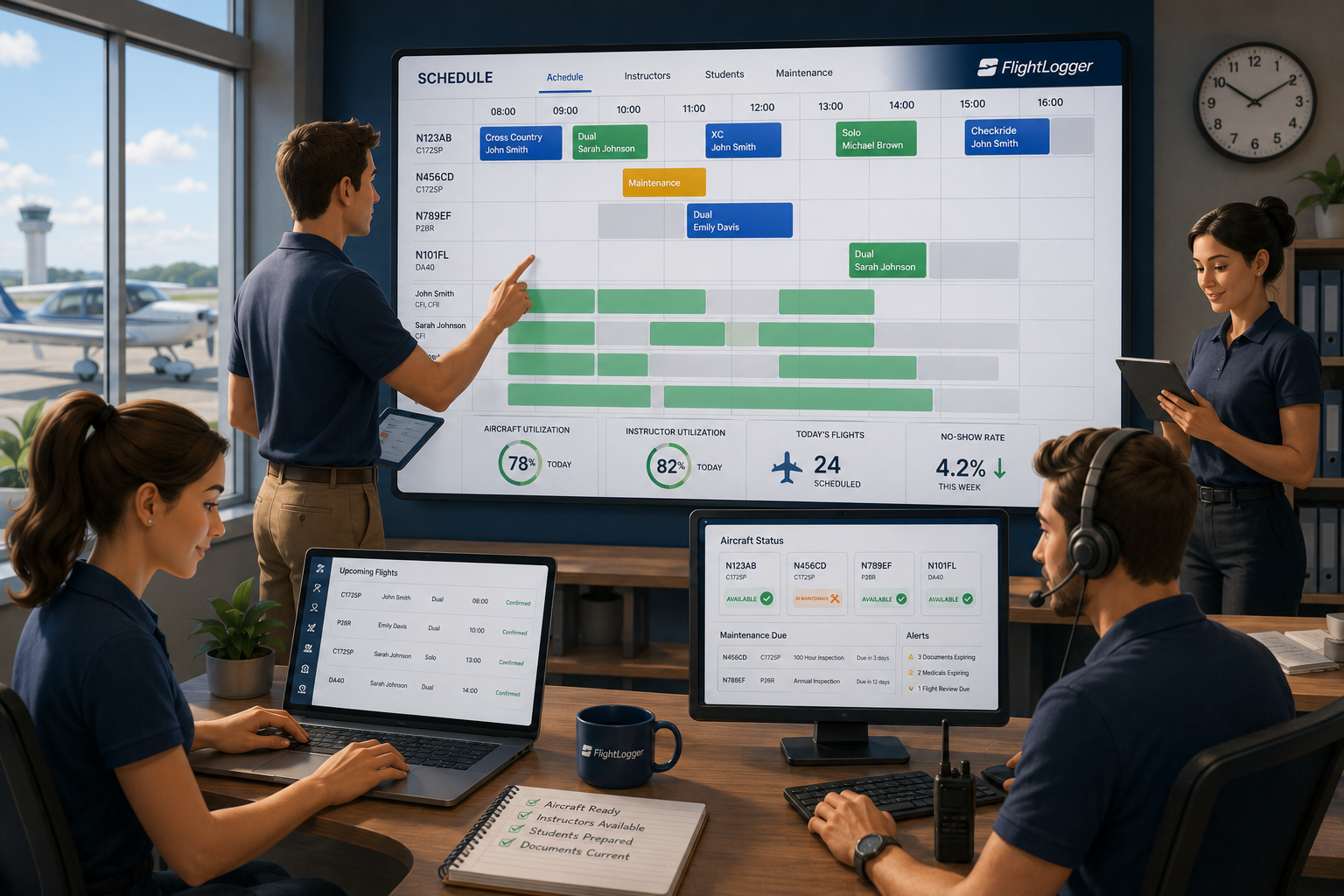
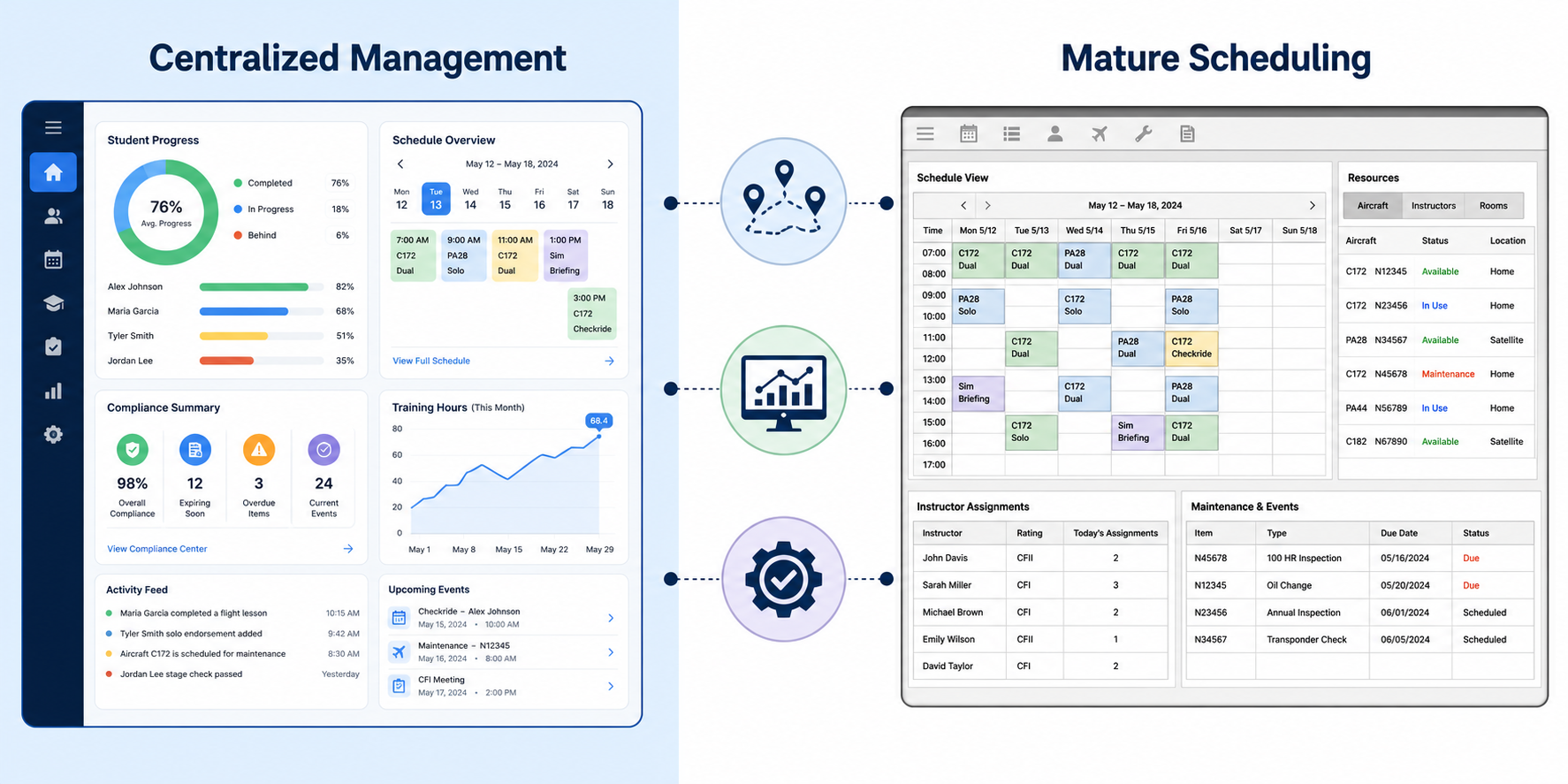
Running a flight school means coordinating dozens of moving parts every single day. You need aircraft ready to fly, instructors available to teach, and students who show up on time with current documents. When these elements align, your operation runs smoothly. When they do not, you lose revenue, frustrate students, and burn out your team. FlightLogger centralizes these scheduling workflows, helping flight schools reduce administrative overhead by up to 75% while improving aircraft utilization across their fleet.
This guide walks you through everything you need to know about optimizing flight school scheduling. From understanding the core components of effective aircraft scheduling to building instructor workflows that prevent conflicts, you will find actionable steps to improve your operation. You will also learn how to handle maintenance coordination, reduce no-shows, and scale your scheduling processes as your school grows.
Key Takeaways: How to Optimize Flight School Scheduling in 2026
- Effective flight school scheduling requires coordinating aircraft, instructors, and students in a single unified system rather than across fragmented tools.
- Aircraft utilization rates directly impact profitability—well-run schools achieve over 1,000 flight hours per airframe annually through smarter scheduling.
- Instructor workload balancing prevents burnout and turnover while ensuring students can book lessons with qualified instructors when needed.
- FlightLogger reduces administrative load by up to 75% by centralizing scheduling, compliance tracking, and automated notifications in one platform.
- Pre-booking validation checks student documents, aircraft maintenance status, and instructor qualifications before confirming any reservation.
What Is Flight School Scheduling and Why Does It Matter?
Flight school scheduling is the process of coordinating aircraft, instructors, students, facilities, and maintenance windows into a single operational plan. Unlike standard appointment booking, a training flight involves multiple interdependent resources that must all be available at the exact same time.
When you book a flight lesson, your system needs to confirm several things simultaneously. Is the aircraft airworthy? Is the instructor available and qualified for that aircraft type? Does the student have a current medical certificate? Is their account balance sufficient? Will the aircraft return from its previous flight in time?
Getting scheduling right has a direct impact on your bottom line. Industry research suggests that flight schools operating without integrated billing and scheduling can lose significant revenue through unbilled flight time each year. This happens when Hobbs time is not captured accurately or when lessons occur but never make it to an invoice.
The Core Components of Effective Aircraft Scheduling
Aircraft scheduling forms the foundation of your flight school operation. Your fleet represents your revenue-generating assets, and every hour an aircraft sits on the ramp is an hour it is not earning money. Effective aircraft scheduling maximizes utilization while ensuring safety and compliance.
How to Track Aircraft Availability in Real Time
Real-time availability tracking means knowing the current status of every aircraft in your fleet at any moment. This includes whether the aircraft is currently flying, scheduled for maintenance, grounded due to a squawk, or available for booking. When your scheduling system connects to maintenance tracking, you can see upcoming inspection windows and plan around them.
The goal is to eliminate the scenario where a student arrives for a lesson only to discover the aircraft is unavailable. Real-time tracking also lets you reassign aircraft quickly when cancellations occur, filling gaps that would otherwise go unused.
Why Maintenance Integration Matters for Scheduling
Maintenance and scheduling must work together. An aircraft approaching its 100-hour inspection should not be booked for a cross-country flight the day before the inspection is due. FlightLogger integrates maintenance management with scheduling so your team can see upcoming maintenance windows and plan training blocks accordingly. This prevents unplanned groundings that disrupt student progress.
When maintenance schedules are managed separately from training schedules, conflicts become inevitable. Aircraft get double-booked, inspections get missed, and students get frustrated when their lessons are canceled at the last minute.
Building Instructor Scheduling Workflows That Prevent Conflicts
Your instructors are your most valuable and most constrained resource. A typical Part 141 flight school has instructors with varying qualifications, availability windows, and workload capacities. Managing all of this manually creates bottlenecks that slow down student progression.
Matching Instructor Qualifications to Training Requirements
Not every instructor can teach every lesson. CFI, CFII, and MEI ratings determine what type of instruction an instructor can deliver. Add in aircraft type endorsements and check instructor approvals, and you have a complex matrix of who can teach what to whom.
A well-designed scheduling system checks qualifications automatically before confirming any booking. If a student needs instrument instruction, the system should only show instructors with a CFII rating. This prevents qualification mismatches that are only discovered when everyone is already at the aircraft.
How to Balance Instructor Workloads Across Your Team
Without visibility into each instructor's schedule, popular instructors get overbooked while newer CFIs sit idle. This imbalance leads to instructor burnout, higher turnover, and inefficient use of your roster. Balanced scheduling distributes flights evenly based on availability and qualifications.
FlightLogger gives you real-time visibility of instructor availability and workload. You can see at a glance which instructors have capacity and which are approaching their daily or weekly flight hour limits. This information helps you make smarter assignment decisions and keep your entire team productive.
Managing Student Scheduling for Better Training Outcomes
Student scheduling is where training efficiency either thrives or dies. Students who can book lessons easily and consistently make faster progress toward their certificates. Those who face constant scheduling obstacles often drop out before completing their training.
What Documents Need to Be Current Before Each Flight?
Before a student can fly, several documents must be valid: medical certificate, photo identification, renter's insurance (if required), and any endorsements for the planned activity. A solo student needs the appropriate solo endorsement. A cross-country flight requires the specific endorsement for that type of operation.
Checking these documents manually before each flight is time-consuming and error-prone. Automated document validation catches expired credentials at the time of booking, not when the student is standing on the ramp ready to fly.
How Self-Service Booking Reduces Administrative Load
Letting students book their own flights directly through your scheduling system reduces the workload on your front desk staff. Students can see available aircraft and instructor combinations, select their preferred time slots, and confirm their bookings without a phone call or email exchange.
The key is ensuring that self-service bookings still run through all validation checks. The system should confirm aircraft availability, instructor qualifications, document currency, and account balance before allowing any booking to proceed. This gives students convenience without compromising operational integrity.
How to Reduce No-Shows and Last-Minute Cancellations
No-shows and late cancellations represent lost revenue and wasted resources. When a student does not show up for a lesson, the instructor sits idle and the aircraft earns nothing. Reducing these occurrences directly improves your operational efficiency and profitability.
Setting Up Automated Reminders and Notifications
Automated reminders sent 24 to 48 hours before a scheduled lesson significantly reduce no-show rates. These reminders give students time to cancel or reschedule if their plans have changed, allowing you to fill the slot with another student.
FlightLogger includes automated notifications that remind students and instructors of upcoming lessons. These alerts reduce the administrative time your staff spends chasing updates and help ensure that booked flights actually happen.
Creating Clear Cancellation Policies That Protect Your Operation
A clear cancellation policy sets expectations with students from the start. Specify how much notice is required for a cancellation without penalty, and what fees apply for late cancellations or no-shows. Enforce these policies consistently to discourage casual booking without commitment.
Your scheduling system should track cancellation history by student. If you notice a pattern of frequent cancellations from certain individuals, you can address it directly rather than continuing to lose slots.
Scaling Your Scheduling System for Multi-Location Operations
As your flight school grows beyond a single location, scheduling complexity multiplies. You need to coordinate resources across multiple bases while maintaining central visibility and control. What worked for one location often breaks down completely when you add a second campus.
What Happens When Single-Location Tools Break at Scale
Most scheduling software is designed for one building, one fleet, and one dispatch board. Adding a second location typically means running two separate accounts in the same software. Each base becomes an independent instance with its own fleet, instructors, and student roster.
This approach fails at every point where the two bases need to interact. You cannot see consolidated revenue without exporting data and merging reports manually. You cannot transfer an aircraft or student record between locations without re-entering data. And you definitely cannot get a single dashboard showing how the entire business is performing.
How FlightLogger Supports Multi-Campus Flight Training Operations
FlightLogger supports operations across multiple campuses and regulatory environments. The platform gives you centralized visibility while allowing each location to manage its day-to-day operations independently. Aircraft utilization, instructor productivity, and student progression can be tracked across all locations from a single dashboard.
This approach lets you standardize procedures across your organization while adapting to local requirements. Read more about how FlightLogger handles strategic scheduling for modern flight training operations to see how centralized platforms drive operational resilience.
Step-by-Step: Building an Optimized Scheduling Workflow
Moving from a fragmented scheduling approach to an optimized workflow requires a systematic process. The steps below outline how to transition your operation toward more efficient scheduling practices.
Step 1: Audit Your Current Scheduling Process
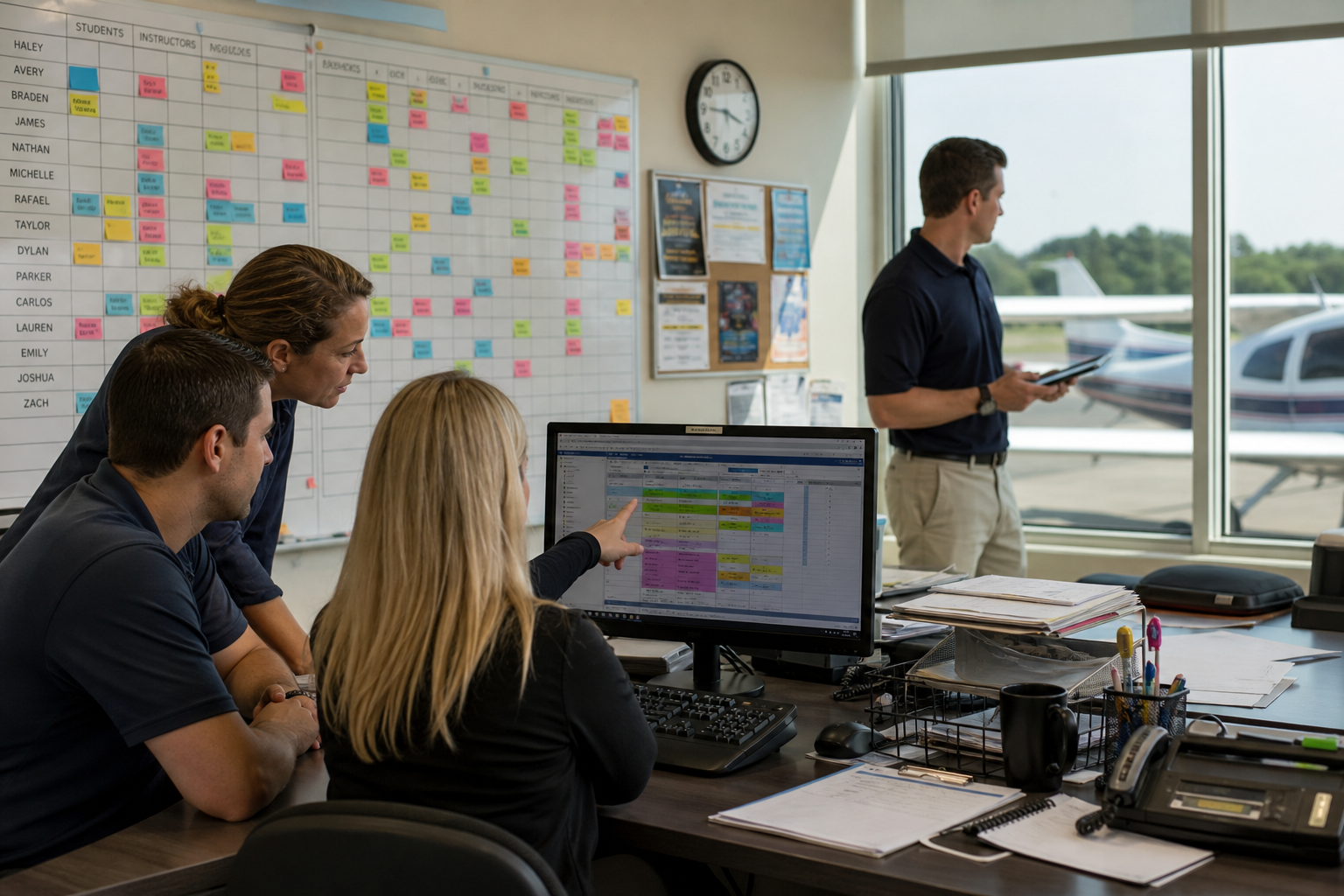
Start by documenting how scheduling currently works at your school. Who handles bookings? What tools are used? Where do conflicts typically occur? How much time does your team spend on scheduling-related tasks each week? This audit reveals the pain points you need to address.
Talk to your instructors, dispatchers, and front desk staff. They experience the friction points daily and can identify where the process breaks down most frequently.
Step 2: Centralize Your Scheduling Data
Move all scheduling information into a single system. This includes aircraft schedules, instructor availability, student bookings, and maintenance windows. When everything lives in one place, conflicts become visible before they cause problems.
Avoid the temptation to run parallel systems during the transition. This creates data sync issues and confusion about which source is authoritative.
Step 3: Configure Pre-Booking Validation Rules
Set up validation rules that check key requirements before any booking is confirmed. At minimum, your system should verify: aircraft availability and airworthiness, instructor availability and qualifications, student document currency, and account balance sufficiency.
Additional validation rules can address specific requirements for your operation, such as weather minimums for solo flights or minimum notice periods for certain aircraft types.
Step 4: Implement Automated Notifications
Configure automated reminders for upcoming bookings, alerts for expiring documents, and notifications for schedule changes. These automated messages reduce the administrative burden on your staff while keeping everyone informed.
Be thoughtful about notification frequency. Too many messages lead people to ignore them. Focus on critical communications that require action.
Step 5: Monitor and Optimize Using Analytics
Once your new scheduling workflow is running, use analytics to identify further optimization opportunities. Track aircraft utilization rates, instructor productivity, no-show percentages, and average time-to-completion for students. These metrics reveal where additional improvements are possible.
FlightLogger's Business Insights modules give you customizable dashboards for monitoring operational performance. You can spot trends, identify bottlenecks, and make data-driven decisions about resource allocation.
Common Scheduling Mistakes and How to Avoid Them
Even well-intentioned flight schools make scheduling mistakes that hurt their operations. Recognizing these patterns helps you avoid them in your own school.
Mistake 1: Scheduling by Tail Number Instead of Fleet Type
Tying each lesson to a specific aircraft registration number creates unnecessary constraints. If N123AB goes down for maintenance, every student booked on that aircraft needs to be rescheduled manually. Fleet-based scheduling assigns lessons to "any available Cessna 172" and makes the specific tail assignment at dispatch. This increases flexibility and reduces cancellations.
Mistake 2: Ignoring Instructor Duty Time Limits
Instructors have daily and weekly flight hour limits based on regulations and company policy. Ignoring these limits leads to last-minute cancellations when an instructor reaches their cap. Your scheduling system should track duty times and prevent bookings that would exceed limits.
Mistake 3: Disconnecting Billing from Scheduling
When billing runs separately from scheduling, revenue leaks occur. Flights happen but do not get billed. Hobbs time is not captured accurately. Account balances are not checked before flights occur. Integrating billing with scheduling closes these gaps and ensures you collect revenue for every service delivered.
Measuring Scheduling Efficiency: Key Metrics to Track
Improving scheduling requires measuring current performance and tracking progress over time. The following metrics reveal how well your scheduling operation is working.
Aircraft Utilization Rate
Aircraft utilization measures the flight hours each aircraft logs annually. Industry benchmarks suggest that training aircraft should achieve 700 to 900 hours per year, with well-run schools pushing past 1,000 hours. Track this metric monthly to identify trends and seasonal patterns.
Dispatch Reliability
Dispatch reliability measures the percentage of scheduled flights that actually occur as planned. Cancellations due to maintenance, weather, or no-shows all reduce dispatch reliability. A target of 85% or higher indicates a healthy operation.
Instructor Utilization
Instructor utilization measures the percentage of available instructor hours that are actually booked. Low utilization indicates scheduling inefficiencies or insufficient student demand. High utilization approaching 100% suggests instructors are at capacity and you may need to hire additional staff.
Time-to-Certificate
Time-to-certificate tracks how long students take to complete their training from enrollment to checkride. Longer durations often indicate scheduling bottlenecks that prevent students from flying consistently. Faster completions suggest your scheduling is supporting steady student progression.
How Compliance and Scheduling Work Together
Scheduling and compliance are deeply connected in flight training. Regulatory requirements dictate what must be tracked, documented, and verified before each flight. Building compliance into your scheduling workflow ensures you meet these requirements without creating extra administrative work.
Tracking Document Expiration Dates Automatically
Medical certificates, instructor certificates, and aircraft inspections all have expiration dates. Your scheduling system should track these dates and alert you before documents expire. Better yet, it should prevent bookings that would occur after a document expires.
This automated tracking keeps you audit-ready at all times. When an inspector asks to see your compliance records, you can produce them immediately rather than scrambling to compile information from multiple sources.
Maintaining Audit-Ready Training Records
Part 141 flight schools must keep detailed records of every training session. Digital record-keeping captures this information automatically as lessons are scheduled and completed. FlightLogger handles documentation in accordance with FAA, EASA, and other regulatory frameworks, supporting audit-ready record keeping across multiple jurisdictions.
Learn more about maintaining compliance through smart scheduling approaches that build operational resilience.
Technology Trends Shaping Flight School Scheduling in 2026
The technology landscape for flight school management continues to evolve. Understanding current trends helps you make informed decisions about your scheduling systems.
Cloud-Based Platforms Enable Access from Anywhere
Cloud technology enables access to your entire organization from any location at any time. Instructors can check their schedules from home. Students can book lessons from their phones. Managers can monitor operations while traveling. This accessibility supports modern expectations for flexibility and responsiveness.
FlightLogger operates as a cloud-based platform serving over 210 flight schools across more than 50 countries. The infrastructure delivers 99.99% uptime and enterprise-grade reliability.
Integration with Financial and Tracking Systems
Modern scheduling platforms integrate with accounting software, student tracking systems, and maintenance management tools. These integrations eliminate duplicate data entry and ensure information stays synchronized across all your business systems.
When a lesson is completed in your scheduling system, the corresponding charge should appear in your billing system automatically. When an aircraft is grounded for maintenance, upcoming bookings should be flagged or canceled without manual intervention.
In Conclusion: Building a Scheduling Foundation for Long-Term Success
Effective flight school scheduling requires more than a calendar and a phone. You need systems that coordinate aircraft, instructors, and students while validating compliance requirements and capturing revenue accurately. The schools that invest in integrated scheduling platforms gain competitive advantages through higher utilization, fewer conflicts, and better student outcomes.
Start by auditing your current processes to identify pain points. Centralize your scheduling data in a single system. Configure validation rules that prevent bad bookings before they happen. Implement automated notifications to reduce no-shows. And use analytics to measure performance and identify further improvements.
FlightLogger gives flight schools the tools to turn scheduling from an administrative headache into a strategic advantage. With centralized scheduling, maintenance integration, compliance tracking, and real-time analytics, you can optimize your operation for growth while reducing administrative overhead. The result is a more resilient, more profitable flight training organization.
FAQs about How to Optimize Flight School Scheduling in 2026
What is the biggest scheduling challenge for flight schools?
The biggest challenge is coordinating multiple interdependent resources simultaneously. Aircraft, instructors, and students must all be available and qualified for each booking.
A student cannot fly if the aircraft is in maintenance. An instructor cannot teach if they lack the required rating. When these resources are managed in separate systems, conflicts are inevitable.
How does FlightLogger help reduce scheduling conflicts?
FlightLogger validates every booking against multiple criteria before confirmation. The system checks aircraft availability, instructor qualifications, student document currency, and account balances automatically.
This pre-booking validation prevents conflicts from occurring rather than requiring staff to resolve them after the fact.
What aircraft utilization rate should flight schools target?
Training aircraft should target 700 to 900 hours annually at minimum, with well-run operations exceeding 1,000 hours per airframe. Utilization below 600 hours typically indicates scheduling inefficiencies.
Higher utilization spreads fixed costs across more revenue hours, improving profitability without adding aircraft to your fleet.
How can flight schools reduce student no-shows?
Automated reminders sent 24 to 48 hours before scheduled lessons significantly reduce no-shows. FlightLogger sends notifications to students and instructors automatically.
Clear cancellation policies with consistent enforcement also discourage no-shows by creating consequences for missed appointments.
What should a flight school look for in scheduling software?
Look for a platform that integrates scheduling with maintenance tracking, compliance verification, and billing. The software should support pre-booking validation, automated notifications, and analytics dashboards.
FlightLogger centralizes these functions in a single platform designed specifically for flight training operations.
How does scheduling affect student progression rates?
Students who can book lessons consistently progress faster toward their certificates. Scheduling bottlenecks that delay lessons extend time-to-certificate and increase dropout rates.
FlightLogger improves student throughput by making it easy to book lessons with qualified instructors and available aircraft.
Can scheduling software handle multi-location flight schools?
Modern platforms like FlightLogger support multi-campus operations with centralized visibility. You can track performance across all locations while allowing each base to manage daily operations independently.
This approach lets growing flight schools scale without losing control over their operation.