.png?width=201&height=201&name=Maintenance%20(Videoannonce%20%E2%80%93%20LinkedIn).png)

Top 7 Digital Workflows for Flight School Operations
 Amalie Rasmussen
·
7 minute read
Amalie Rasmussen
·
7 minute read

Quick guide: 7 digital workflows every flight school should implement first
- FlightLogger Centralized Scheduling: The leading integrated platform for coordinating aircraft, instructors, and students in real time
- Digital Flight Logging: A structured approach to capturing flight time and training progress automatically
- Automated Maintenance Coordination: A workflow that syncs aircraft maintenance with training schedules
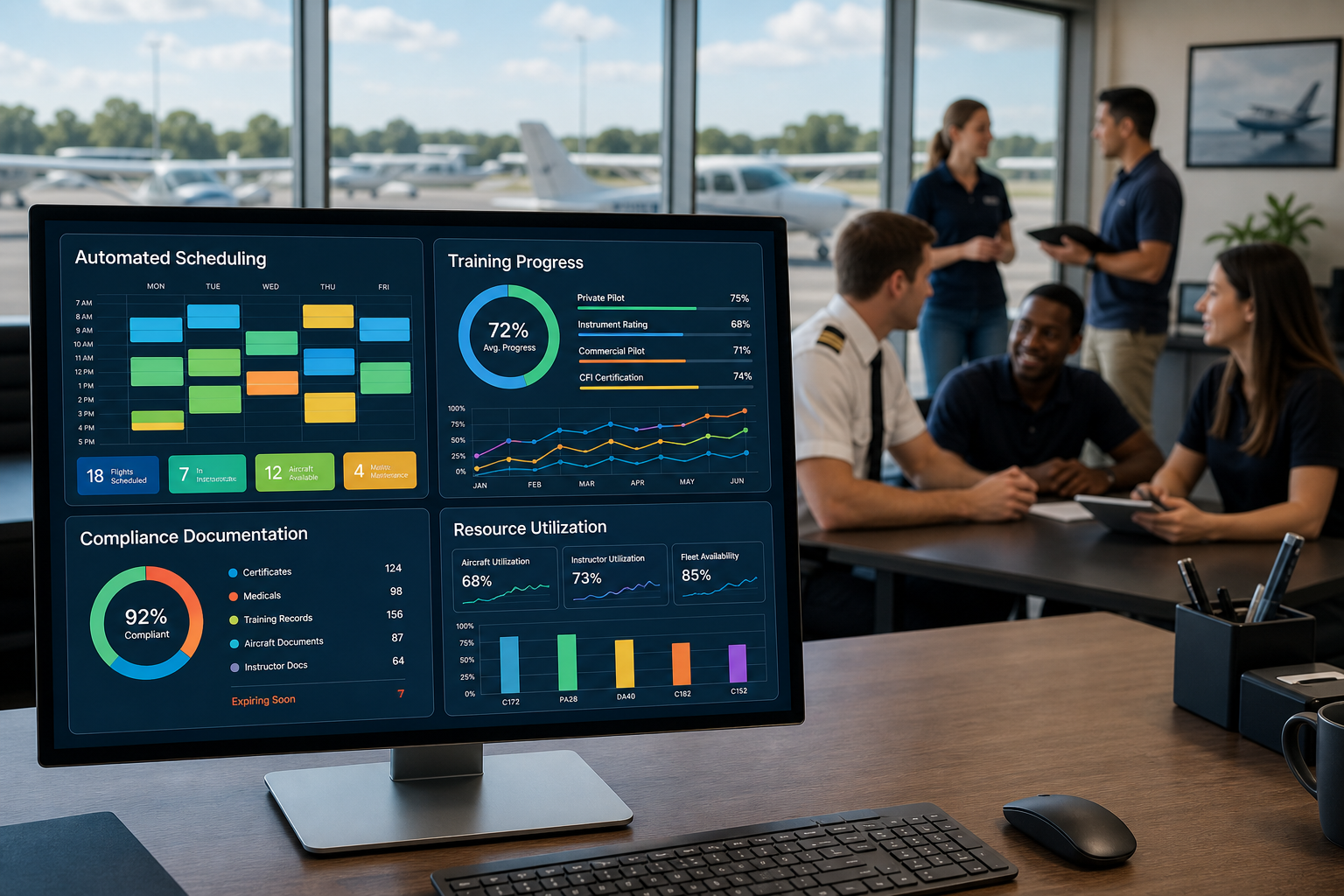
- Student Progress Tracking: A system for monitoring competency development and course completion
- Document Compliance Management: A process for tracking certifications, medicals, and endorsements
- Automated Notifications and Reminders: A workflow that reduces no-shows and keeps stakeholders informed
- Financial Integration and Billing: A connected system linking flight time to invoicing and accounting
How we identified the most impactful digital workflows for flight schools
Flight schools face a specific operational challenge: coordinating aircraft, instructors, students, maintenance windows, and compliance requirements simultaneously. When any element falls out of sync, lessons get canceled, revenue disappears, and students lose momentum.
We evaluated digital workflows based on their ability to address the friction points that affect daily operations most directly:
- Time savings: Does this workflow eliminate repetitive administrative tasks that drain instructor and staff hours?
- Error reduction: Does it prevent double-bookings, expired documents, or missed maintenance windows before they cause problems?
- Compliance support: Does it keep records audit-ready for FAA, EASA, CASA, and other regulatory authorities?
- Student progression: Does it help students book lessons consistently and track their progress toward certification?
- Scalability: Can the workflow support growth across multiple locations without adding proportional administrative overhead?
The 7 digital workflows flight schools should implement first
1. FlightLogger Centralized Scheduling: The foundation for operational control
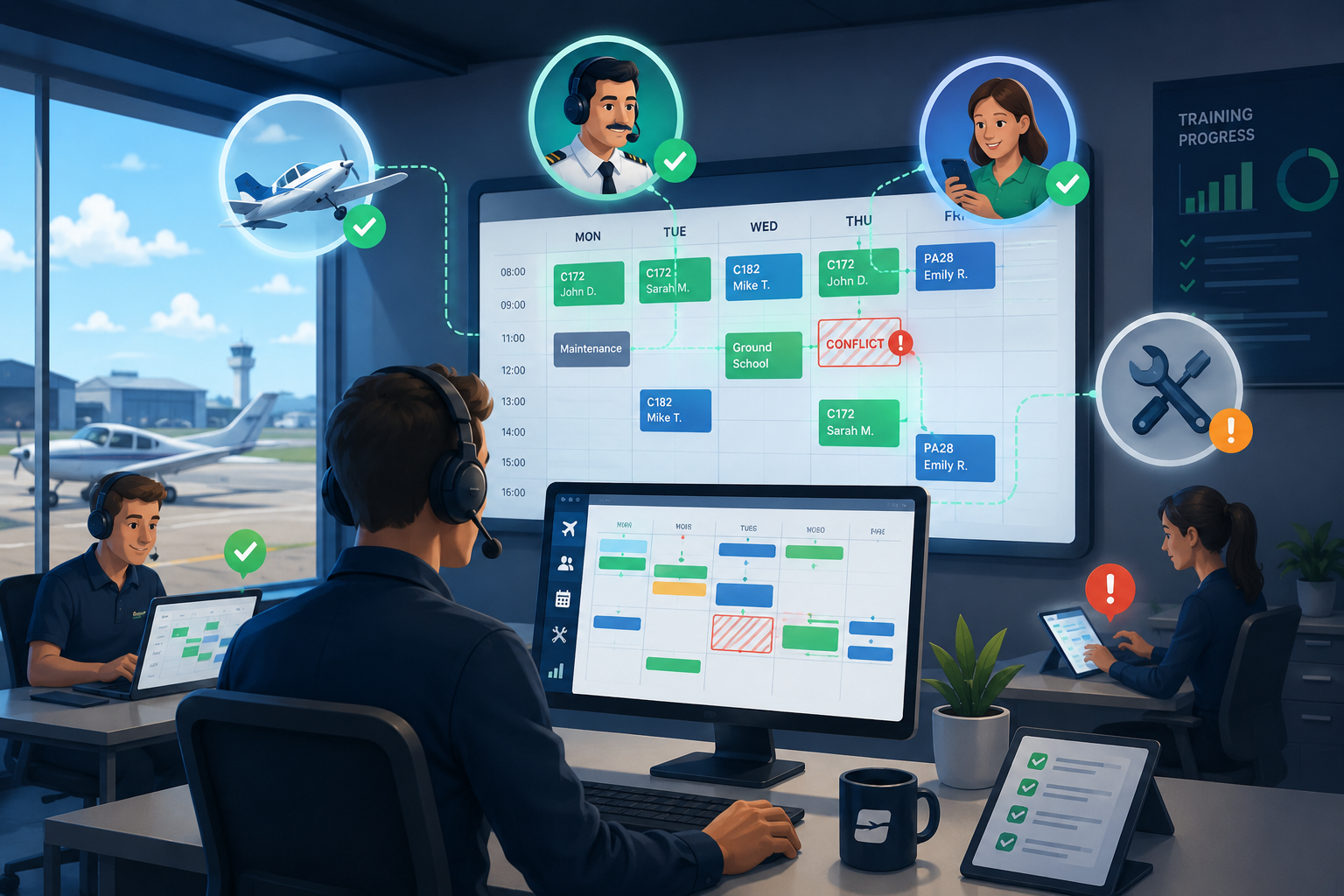
Scheduling sits at the center of every flight training operation. Students train. Aircraft fly. Instructors coordinate. When these elements are managed across fragmented tools, conflicts multiply and revenue leaks through the cracks.
FlightLogger centralizes scheduling, maintenance coordination, and instructor availability into a single system. This eliminates the gaps that create double-bookings and missed lessons while giving operational leaders real-time visibility into resource utilization.
Organizations using FlightLogger report documented efficiency gains of 30–50% and 20+ hours of monthly administrative time saved. The platform validates every booking against aircraft availability, instructor qualifications, student document currency, and account balances before confirmation.
FlightLogger centralized scheduling features
- Real-time resource visibility: View instructor availability, aircraft readiness, and student schedules in one interface, eliminating the need to cross-reference multiple calendars
- Pre-booking validation: Automatic checks confirm aircraft airworthiness, instructor qualifications, and student document currency before any reservation is confirmed
- Conflict prevention: The system flags scheduling conflicts before they become problems, reducing last-minute cancellations
- Dynamic rescheduling: When weather or maintenance disrupts planned flights, reschedule quickly with full visibility into alternative resources
- Multi-campus support: Manage scheduling across multiple locations with centralized visibility while allowing each base to operate independently
FlightLogger centralized scheduling pros and cons
Pros:
- Reduces administrative overhead by up to 75% through automated validation and conflict prevention
- Supports compliance across multiple regulatory environments including FAA, EASA, CASA, and ANAC
- Scales from single-base schools to multi-campus university programs without workflow changes
Cons:
- Requires initial investment in configuration to match your specific operational workflows
- Staff accustomed to informal scheduling methods may need time to adapt to structured processes
- Full benefits emerge over weeks as historical data accumulates in the system
2. Digital Flight Logging: Capturing training progress automatically
Flight logging that happens manually after each lesson creates documentation gaps. Instructors forget details. Entries get delayed. Records become inconsistent across your team.
Digital flight logging captures flight time, training activities, and instructor evaluations as they occur. This creates a complete record that supports student progress tracking and regulatory compliance without requiring additional administrative effort.
Digital flight logging features
- Automatic time capture: Hobbs and tach times flow directly into student records without manual entry
- Standardized grading: Consistent evaluation criteria across all instructors visible to students and training managers
- Audit-ready records: Documentation meets requirements across FAA, EASA, and other regulatory frameworks
Digital flight logging pros and cons
Pros:
- Eliminates duplicate data entry between scheduling, logging, and billing systems
- Creates consistent training records that support competency-based assessment
- Reduces the audit-preparation crunch by keeping records current
Cons:
- Requires instructors to complete entries promptly to maintain accuracy
- Integration with existing record systems may require data migration planning
- Some instructors prefer paper-based methods and need transition support
3. Automated Maintenance Coordination: Preventing unplanned groundings
Maintenance schedules that are not synced to training blocks create operational surprises. An aircraft grounding that was not anticipated can cascade through an entire week of student lessons.
Digital maintenance coordination connects aircraft status directly to scheduling. Maintenance due dates become visible when planning flights, and automatic alerts notify staff before aircraft become unavailable.
Automated maintenance coordination features
- Integrated visibility: Maintenance windows appear directly in scheduling views
- Proactive alerts: Notifications before inspections or service requirements affect availability
- Audit-ready logs: Maintenance records that demonstrate compliance without additional preparation
Automated maintenance coordination pros and cons
Pros:
- Prevents unplanned aircraft groundings by making maintenance status part of everyday visibility
- Reduces scheduling conflicts caused by unexpected maintenance requirements
- Supports airworthiness compliance through structured documentation
Cons:
- Initial setup requires accurate entry of current maintenance status for each aircraft
- Coordination between scheduling and maintenance staff may need process adjustment
- Complex maintenance scenarios may require additional configuration
4. Student Progress Tracking: Keeping training on course
Student progression tracking is where inconsistency often creates the most operational friction. Different instructors using different methods lead to gaps in documentation and uncertainty about student readiness.
A structured digital workflow for student progress gives training managers real-time visibility into completed modules, pending requirements, and upcoming milestones. FlightLogger supports competency-based training and assessment (CBTA), giving flight schools a structured framework for student evaluation.
Student progress tracking features
- Course progress visibility: Real-time tracking of completed modules and pending requirements
- Competency assessment: Structured evaluation frameworks that meet regulatory requirements
- Student self-service: Allow students to check their own progress, reducing administrative inquiries
Student progress tracking pros and cons
Pros:
- Identifies students at risk of falling behind before delays compound
- Creates consistency in grading and evaluation across your instructor team
- Supports faster student throughput through better scheduling alignment
Cons:
- Requires agreement on standardized grading criteria across all instructors
- Transitioning existing student records into a new system takes planning
- Some customization may be needed to match your specific training programs
5. Document Compliance Management: Staying audit-ready
Medical certificates, instructor certificates, and aircraft inspections all have expiration dates. When these documents are tracked in separate systems or not tracked at all, compliance gaps emerge during the worst possible moments.
Digital compliance management tracks expiration dates automatically and prevents bookings that would occur after a document expires. This keeps your operation audit-ready without requiring periodic compliance scrambles.
Document compliance management features
- Automatic expiration tracking: The system monitors document validity and alerts staff before expiration
- Pre-booking validation: Reservations cannot be confirmed if required documents are expired
- Centralized storage: All compliance documentation accessible from a single location
Document compliance management pros and cons
Pros:
- Prevents compliance violations before they occur through automated validation
- Reduces audit preparation time by keeping records current and accessible
- Supports operations across multiple regulatory frameworks simultaneously
Cons:
- Initial document upload requires staff time to digitize existing records
- Students and instructors must be trained to update their own documents
- Integration with external document sources may require additional configuration
6. Automated Notifications and Reminders: Reducing no-shows
No-shows and late cancellations represent lost revenue and wasted resources. When a student does not show up for a lesson, the instructor sits idle and the aircraft earns nothing.
Automated reminders sent 24 to 48 hours before scheduled lessons significantly reduce no-show rates. These notifications give students time to cancel or reschedule if plans have changed, allowing staff to fill slots with other students.
Automated notifications features
- Booking confirmations: Immediate confirmation when reservations are made
- Lesson reminders: Automated alerts before scheduled training events
- Schedule change notifications: Instant updates when bookings are modified or canceled
Automated notifications pros and cons
Pros:
- Reduces no-show rates by keeping lessons top-of-mind for students
- Frees staff from manual reminder calls and follow-up communications
- Creates opportunities to fill canceled slots with waitlisted students
Cons:
- Notification frequency must be calibrated to avoid message fatigue
- Students need valid contact information on file for notifications to reach them
- Some students may still ignore automated messages
7. Financial Integration and Billing: Capturing every flight hour
When billing runs separately from scheduling, revenue leaks occur. Flights happen but do not get billed. Hobbs time is not captured accurately. Account balances are not checked before flights occur.
Integrated billing connects flight time directly to invoicing. FlightLogger includes embedded payment processing and QuickBooks sync for easier reconciliation, closing the gaps that cost flight schools significant revenue each year.
Financial integration features
- Automatic billing: Charges generated directly from completed flight records
- Account balance validation: Bookings blocked when student accounts are insufficient
- Accounting integration: Direct sync with financial systems reduces manual reconciliation
Financial integration pros and cons
Pros:
- Eliminates unbilled flight time that accumulates when systems are disconnected
- Reduces accounting workload through automated data flow
- Supports flexible billing models including prepaid packages and pay-as-you-go
Cons:
- Initial configuration must match your existing rate structures and billing policies
- Staff responsible for billing need training on the new workflow
- Historical billing data migration requires careful planning
Comparison table: Digital workflows for flight school operations
| Workflow | FlightLogger | Flight Schedule Pro | Flight Circle |
|---|---|---|---|
| Multi-framework compliance (FAA, EASA, CASA) | ✓ | FAA only | FAA only |
| Integrated maintenance coordination | ✓ | Separate module | Tracking only |
| Competency-based training (CBTA) | ✓ | ✗ | ✗ |
| Multi-campus operations | ✓ | ✓ | ✓ |
How do flight schools decide which digital workflows to implement first?
The sequence matters. Flight schools that try to digitize everything at once often stall because staff cannot absorb multiple new processes simultaneously.
Start with scheduling. It touches every other workflow and creates the foundation for everything else. When scheduling is centralized and validated automatically, maintenance coordination becomes possible. Student progress tracking becomes meaningful. Billing becomes accurate.
From there, prioritize based on your operation's specific friction points. A school struggling with audit preparation should focus on compliance management early. A school losing revenue to no-shows should implement automated notifications as a priority.
What mistakes should flight schools avoid when digitizing operations?
The most common mistake is choosing tools that were not built for aviation. Generic business software requires extensive configuration to fit flight training workflows. Aviation-specific platforms like FlightLogger arrive with the structure already in place.
Another frequent error is running parallel systems during the transition. This creates data sync issues and confusion about which source is authoritative. Commit to the new workflow and migrate completely rather than maintaining two systems indefinitely.
Finally, do not skip the people who do the work. Instructors, schedulers, and maintenance coordinators know where time gets wasted. Their input shapes a digitization plan that actually gets used rather than one that looks good on paper but fails in practice.
Why FlightLogger delivers the foundation for flight school digitization
The difference between successful digitization and abandoned projects usually comes down to three factors: starting with operational problems rather than technology features, involving the people who do the work, and choosing systems built specifically for aviation.
FlightLogger serves more than 215 flight training organizations across 50+ countries. The platform centralizes scheduling, maintenance coordination, compliance tracking, and student progression in one integrated system. Organizations that implement FlightLogger report reduced administrative overhead, improved aircraft utilization, and faster student throughput.
Because FlightLogger is built specifically for flight training operations, implementation follows a structured process typically completed within 4–6 weeks. You are implementing a system that already reflects how flight schools operate—not building workflows from scratch.
Book a walkthrough and see how FlightLogger supports the digital workflows that keep your operation moving forward.
FAQs about digital workflows for flight school operations
What is the first digital workflow a flight school should implement?
Centralized scheduling should come first. It coordinates aircraft, instructors, and students in one system and creates the foundation for every other workflow. FlightLogger centralizes scheduling with real-time validation that prevents conflicts before they occur.
How do digital flight logs improve training quality?
Digital flight logs create consistent records across all instructors. They capture flight time automatically, support standardized grading, and keep documentation audit-ready. FlightLogger supports competency-based training and assessment for structured student evaluation.
Can digital workflows help with FAA and EASA compliance?
Yes. FlightLogger supports compliance across FAA, EASA, CASA, ANAC, and other regulatory frameworks. The platform tracks document expiration, validates requirements before booking, and maintains audit-ready records automatically.
How long does it take to implement digital workflows at a flight school?
FlightLogger implementations typically complete within 4–6 weeks. The structured process includes data migration, system configuration, staff training, and dedicated onboarding support throughout the transition.
What ROI can flight schools expect from digitization?
Organizations using FlightLogger report 30–50% efficiency gains and 20+ hours of monthly administrative time saved. Integrated billing also captures revenue that leaks when scheduling and invoicing are disconnected.
Do digital workflows work for multi-location flight schools?
Yes. FlightLogger supports multi-campus operations with centralized visibility while allowing each location to manage day-to-day operations independently. This approach scales without adding proportional administrative overhead.