.png?width=201&height=201&name=Maintenance%20(Videoannonce%20%E2%80%93%20LinkedIn).png)

Top 7 Ways Flight Schools Reduce Scheduling Conflicts
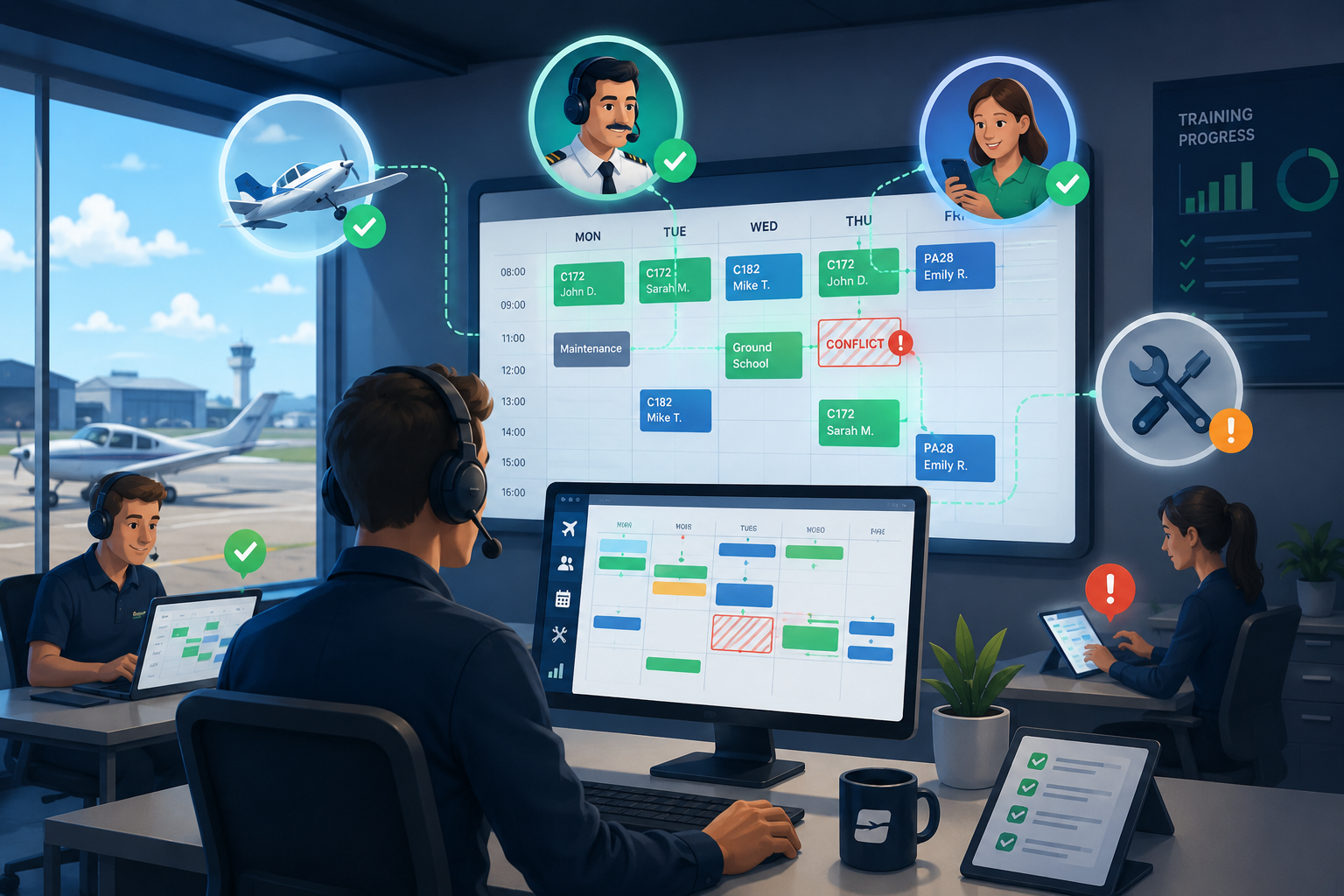
Scheduling conflicts at a flight school can derail training timelines and frustrate everyone involved - from instructors to students. When aircraft, instructor availability, and student calendars don't align, lessons get cancelled, progress stalls, and revenue slips away. FlightLogger helps flight schools eliminate these bottlenecks by centralizing flight school scheduling into one unified system.
This article walks through seven practical strategies that successful flight training operations use to cut down on double-bookings and resource clashes. You'll learn how to optimize aircraft utilization, balance instructor workloads, and keep your training pipeline moving smoothly.
Quick guide: 7 ways to reduce scheduling conflicts at your flight school
- FlightLogger: The best all-in-one platform for centralized flight training management and scheduling
- Aviatize: Offers instructor workload balancing for smaller operations
- Flight Circle: Includes QuickBooks integration and basic scheduling tools
- Tailplane: A web-based option with student portal access
- Flight Schedule Pro: Features maintenance tracking alongside scheduling
How we chose these scheduling strategies and tools
Running a flight school means coordinating aircraft, instructors, and students—all with their own availability constraints. We evaluated scheduling approaches based on what matters most to training managers and chief flight instructors who need to keep operations running without constant firefighting.
- Centralized scheduling visibility: Can you see all your aircraft, instructors, and student bookings in one place? This eliminates the back-and-forth of checking multiple calendars.
- Automatic conflict detection: Does the system flag double-bookings before they happen? Catching conflicts early prevents cancelled lessons.
- Real-time availability updates: When an aircraft returns from maintenance or an instructor updates their schedule, does everyone see it immediately?
- Qualification and currency checks: Can the system verify that instructors have the right ratings and students have current medicals before confirming a booking?
- Maintenance integration: Does the scheduling system know when aircraft are due for inspections, so you don't book a plane that will be grounded?
- Scalability: Will this approach still work when you add more aircraft, instructors, or locations?
The 7 ways flight schools reduce scheduling conflicts
1. FlightLogger: Best overall platform for reducing scheduling conflicts
FlightLogger gives you complete visibility over your entire operation—aircraft, instructors, students, and training progress—all in one dashboard. Instead of toggling between calendars and calling around to check availability, you see everything at a glance. This single source of truth prevents the miscommunications that lead to double-bookings.
What sets FlightLogger apart is how deeply scheduling connects to the rest of your training workflow. When an instructor grades a lesson, FlightLogger updates the student's progression automatically. When maintenance grounds an aircraft, the schedule reflects it instantly. This integration means fewer surprises and smoother daily operations.
FlightLogger reduces administrative load by up to 75%, according to customer results, freeing your staff to focus on training rather than chasing scheduling updates. The platform serves over 220 flight schools in 50+ countries, handling complex multi-location operations with ease.
FlightLogger features
- Unified scheduling dashboard: View all aircraft, instructors, and students in one interface, with drag-and-drop booking that instantly shows conflicts.
- Real-time availability sync: When an instructor updates their availability or an aircraft returns from a flight, the schedule updates across the entire organization immediately.
- Integrated maintenance tracking: Aircraft due for inspection are automatically blocked from booking, so you never schedule a plane that can't fly.
- Automated notifications: Students and instructors receive reminders about upcoming lessons, reducing no-shows during high-activity periods.
- Student progression tracking: See exactly where each student stands in their training, making it easier to schedule the right lessons at the right time.
- Multi-location support: Expand across bases and fleets with a platform designed to grow with your operation.
FlightLogger pros and cons
Pros:
- Centralizes all training operations into one system, eliminating the need for multiple tools
- Offers 99.99% uptime with enterprise-grade reliability, so your schedule is always accessible
- Dedicated onboarding and ongoing customer success support help you get started quickly
Cons:
- Full onboarding takes a few weeks to complete, though the process is guided by a dedicated support team
- Advanced features like competency-based training assessment require configuration during setup
- Organizations with very simple needs may not use all available features, though the modular system lets you choose what you need
2. Aviatize: Instructor workload balancing for growing schools
Aviatize focuses heavily on managing instructor schedules and preventing the common problem of overloading popular CFIs while newer instructors sit idle. The platform tracks instructor qualifications—CFI, CFII, MEI ratings, and type endorsements—so the system only suggests instructors who can legally teach each lesson.
Students can view instructor availability and book directly through the platform. When an instructor calls in sick or cancels, Aviatize helps dispatchers find qualified replacements quickly instead of cancelling the lesson entirely.
Aviatize features
- Qualification matching: Verifies that instructors have the ratings needed for each lesson type before allowing bookings.
- Workload visibility: Shows each instructor's scheduled hours, helping dispatchers distribute lessons more evenly across the team.
- Self-service booking: Students can request lessons based on available slots, reducing back-and-forth with front desk staff.
Aviatize pros and cons
Pros:
- Focuses specifically on instructor scheduling and qualification management
- Helps distribute workload across instructor teams to reduce burnout
- Students can book lessons through a self-service interface
Cons:
- Does not include integrated maintenance tracking for aircraft
- Reporting options are less extensive than platforms designed for multi-location operations
- Requires separate tools for student progression and compliance documentation
3. Flight Circle: Scheduling with billing integration
Flight Circle combines aircraft scheduling with point-of-sale and billing features, syncing directly with QuickBooks. The platform handles reservations, maintenance reminders, and policy enforcement—like blocking students whose account balance is too low or whose flight review has expired.
Schools and flying clubs use Flight Circle to manage the entire booking-to-billing workflow. The scheduling system integrates with Google Calendar, making it easy for instructors and students to see their upcoming flights alongside personal appointments.
Flight Circle features
- Policy enforcement: Automatically blocks bookings when student requirements aren't met, such as expired medicals or insufficient account balance.
- QuickBooks sync: Financial transactions flow directly into your accounting software, reducing duplicate data entry.
- Google Calendar integration: Reservation details sync to personal calendars for instructors and students.
Flight Circle pros and cons
Pros:
- Combines scheduling and billing in one system, reducing the need for separate invoicing tools
- Offers a 61/141 training module for schools needing regulatory compliance tracking
- Includes maintenance reminders and squawk management
Cons:
- Interface requires time to learn, with multiple menu levels for different functions
- Advanced reporting requires navigation through several screens
- Some features require higher-tier plans to access
4. Tailplane: Student-focused scheduling portal
Tailplane offers a web-based scheduling interface that separates the admin experience from the student experience. Instructors and staff use a scheduling app for managing bookings, while students access a dedicated portal to view availability and request lessons.
The platform supports drag-and-drop booking creation and connects to Google and Apple calendars. Schools can manage multiple locations and track aircraft maintenance status from the dashboard.
Tailplane features
- Separate student portal: Students book lessons through a dedicated interface designed for simplicity.
- Calendar sync: Connects to Google and Apple calendars so bookings appear alongside other commitments.
- Fleet management: Track aircraft availability, maintenance status, and utilization from a central dashboard.
Tailplane pros and cons
Pros:
- Clean, modern interface that separates admin and student functions
- No setup or monthly fees for basic features
- Supports multiple locations from a single account
Cons:
- Does not include billing or payment processing features
- Training record management is limited compared to dedicated training platforms
- Reporting and analytics features are less developed than enterprise-grade systems
5. Flight Schedule Pro: Maintenance-aware scheduling
Flight Schedule Pro connects scheduling with maintenance tracking, grounding aircraft automatically when inspections are due. The platform includes modules for billing, reporting, and Part 141 compliance, making it an option for schools needing regulatory documentation alongside scheduling.
The Scheduling Hub shows real-time aircraft and instructor availability, with conflict detection that flags issues before bookings are confirmed. Instructors can grade lessons directly in the system, creating a record of student progress.
Flight Schedule Pro features
- Maintenance Hub integration: Tracks work orders, parts inventory, and inspection schedules, blocking aircraft from booking when maintenance is due.
- Automated billing: Generates invoices from flight logs and processes recurring payments.
- Part 141 support: Includes features for schools operating under FAA Part 141 certification.
Flight Schedule Pro pros and cons
Pros:
- Connects maintenance scheduling directly to flight scheduling
- Includes billing automation to reduce administrative work
- Offers guided onboarding for new customers
Cons:
- Full platform implementation takes time to complete
- Multi-location operations require additional configuration
- Some advanced features are available only at higher plan levels
Comparison table: Flight school scheduling tools
| Platform | Multi-Location Support | Integrated Maintenance Tracking | Student Progression Tracking |
|---|---|---|---|
| FlightLogger | ✓ | ✓ | ✓ |
| Aviatize | ✓ | ✗ | ✗ |
| Flight Circle | ✗ | ✓ | ✓ |
| Tailplane | ✓ | ✓ | ✗ |
| Flight Schedule Pro | ✗ | ✓ | ✓ |
How do scheduling conflicts affect student training timelines?
When lessons get cancelled due to double-bookings or unavailable aircraft, students lose momentum. Each missed session pushes back checkride readiness and extends the total time to certification. For students balancing work, family, and training, repeated cancellations can lead to dropout.
According to AOPA's research on flight school business practices, maximizing aircraft utilization directly impacts profitability. Every hour an aircraft sits unused due to scheduling confusion is revenue lost. Consistent scheduling keeps students progressing and aircraft flying.
Beyond revenue, poor scheduling damages your reputation. Students talk to each other, and word spreads when a school can't keep its schedule straight. A centralized scheduling system like FlightLogger eliminates these issues by ensuring everyone works from the same real-time information.
What should you look for in flight training management software?
The right platform should handle more than just booking time slots. True flight training management connects scheduling to student records, maintenance status, and compliance documentation. Here's what to prioritize:
- Integration depth: Does the scheduling module talk to maintenance, billing, and student records, or does it operate in isolation?
- Scalability: Can the system grow with you as you add aircraft, instructors, and locations?
- Compliance support: Does it help you stay audit-ready with automatic record-keeping?
- User experience: Will instructors and students actually use it, or will they revert to phone calls and whiteboards?
FlightLogger centralizes all these functions into one platform, which is why over 220 flight schools worldwide trust it for their daily operations.
Why FlightLogger is the best platform for reducing scheduling conflicts
FlightLogger connects every part of your training operation—scheduling, student progression, maintenance, and compliance—into a single system that updates in real time. When one piece changes, everything else reflects it instantly. This prevents the cascade of problems that happen when information lives in separate tools.
The platform scales from single-aircraft operations to multi-location academies with fleets of aircraft and dozens of instructors. FlightLogger supports compliance across multiple regulatory environments simultaneously, making it the choice for international training organizations. Customer results show 30% reductions in administrative overhead and double-digit improvements in on-time lesson starts.
If scheduling conflicts are holding your training operation back, FlightLogger gives you the visibility and control to fix them. Request a demo to see how centralized flight training management can work for your school.
FAQs about reducing scheduling conflicts at flight schools
What causes most scheduling conflicts at flight schools?
Double-bookings and miscommunication cause most scheduling conflicts. When aircraft availability, instructor schedules, and student calendars live in different places, conflicts slip through.
FlightLogger eliminates this by putting everything in one dashboard. When anyone books a lesson, the system checks all constraints automatically.
How does centralized scheduling reduce administrative work?
Centralized scheduling means your staff stops chasing updates across multiple calendars and phone calls. Everyone sees the same real-time information, so there's nothing to reconcile.
FlightLogger customers report up to 75% reductions in administrative load. That time goes back into training, not paperwork.
Can scheduling software prevent maintenance-related cancellations?
Yes, if the scheduling system connects to your maintenance tracking. When aircraft are due for inspection, FlightLogger automatically blocks them from booking.
This integration means students never show up for a lesson only to find their aircraft is grounded. Maintenance stays visible to everyone.
How do you balance instructor workloads effectively?
Effective workload balancing requires visibility into each instructor's scheduled hours and qualifications. Without this, popular instructors get overbooked while newer CFIs sit idle.
FlightLogger shows real-time instructor availability and tracks qualifications, making it easy to distribute lessons across your team.
What's the difference between scheduling software and full training management?
Scheduling software handles bookings. Full training management connects scheduling to student records, compliance documentation, maintenance, and billing in one system.
FlightLogger delivers complete training management. Every module connects, so changes in one area automatically update everywhere else.