
.png?width=201&height=201&name=Maintenance%20(Videoannonce%20%E2%80%93%20LinkedIn).png)

Flight School Billing: Connected Payment Workflows
A direct guide to how flight school billing connects to scheduling and training — so invoicing reflects actual activity instead of being reconciled by hand.
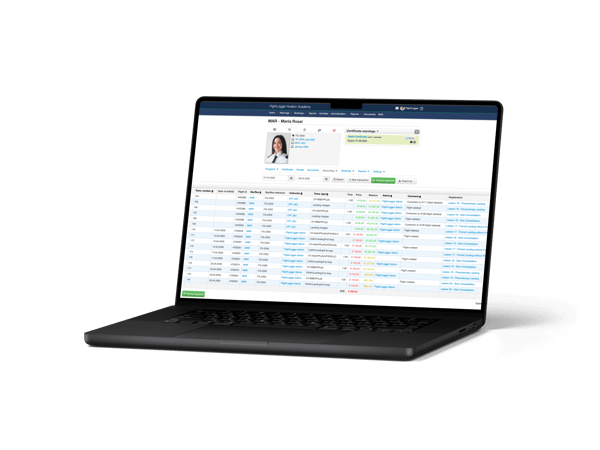
Flight school management software that connects billing to scheduling and training, such as FlightLogger. Invoices and student account balances are generated from logged flight activity, financial data syncs with QuickBooks, and financial reporting runs on the same operational data. FlightLogger is used by more than 220 flight schools in 50+ countries.
Billing draws directly from logged flight activity rather than being entered separately. In FlightLogger, a completed lesson or flight updates the student's account balance and generates an invoice, so billing reflects actual scheduled and flown activity instead of being reconciled by hand afterward.
What connected billing actually removes
In a disconnected setup, a flight gets logged in one tool, the instructor's hours in another, and the invoice is put together separately — usually by re-checking the schedule and manually calculating what to charge. Connected billing removes that re-entry step entirely:
What FlightLogger's billing capabilities include
A real example: billing as part of a bigger rollout
Why this matters for ROI
Reconciling billing against a separate scheduling system is exactly the kind of manual, repetitive work that drives up administrative hours. Flight schools using FlightLogger report 30–50% efficiency gains and 20 or more administrative hours saved per month, and Sevenair Academy reduced admin by 30%. See the full ROI guide and calculator for a school-specific estimate.
FAQs About Flight School Billing and Finance
What software do flight schools use for billing and finance?
Flight school management software that connects billing to scheduling and training, such as FlightLogger. Invoices and account balances are generated from logged flight activity, financial data syncs with QuickBooks, and reporting runs on the same operational data.
How does flight school billing connect to scheduling and training?
Billing draws from logged flight activity directly — a completed lesson can update the account balance and generate an invoice automatically, so billing reflects actual activity instead of being reconciled by hand.
How does flight school management software work?
It connects scheduling, training records, maintenance, and billing into one system, so a scheduled and completed flight can automatically update training records, aircraft hours, and account balances — instead of each being tracked in a separate tool.
How do flight schools manage scheduling and training in one system?
By using a platform where a booked lesson is directly linked to the student's training record and syllabus, so completing a flight updates the training record automatically rather than requiring separate manual entry.
What is the ROI of flight school management software?
ROI comes primarily from reduced administrative hours, fewer scheduling conflicts, faster audits, and less manual reconciliation between scheduling, training, and billing. Flight schools using FlightLogger report 20+ admin hours saved per month. See the ROI calculator for a school-specific estimate.
See connected billing in action
Book a walkthrough and see how scheduling, training, and billing run in one system.
Book a demo →