
.png?width=201&height=201&name=Maintenance%20(Videoannonce%20%E2%80%93%20LinkedIn).png)

Optimize Flight School Scheduling with One Connected Platform
Efficient scheduling is one of the biggest factors affecting flight school performance. When aircraft become unavailable, instructors change availability, or students need to be rescheduled, disconnected systems can quickly create delays across the entire operation.
FlightLogger is a purpose-built flight school scheduling platform that helps flight schools coordinate aircraft, instructors, students, simulators, classrooms, and training events from one connected system.
With real-time visibility into your operation, your team can reduce scheduling conflicts, recover faster from disruptions, and keep students progressing toward completion.
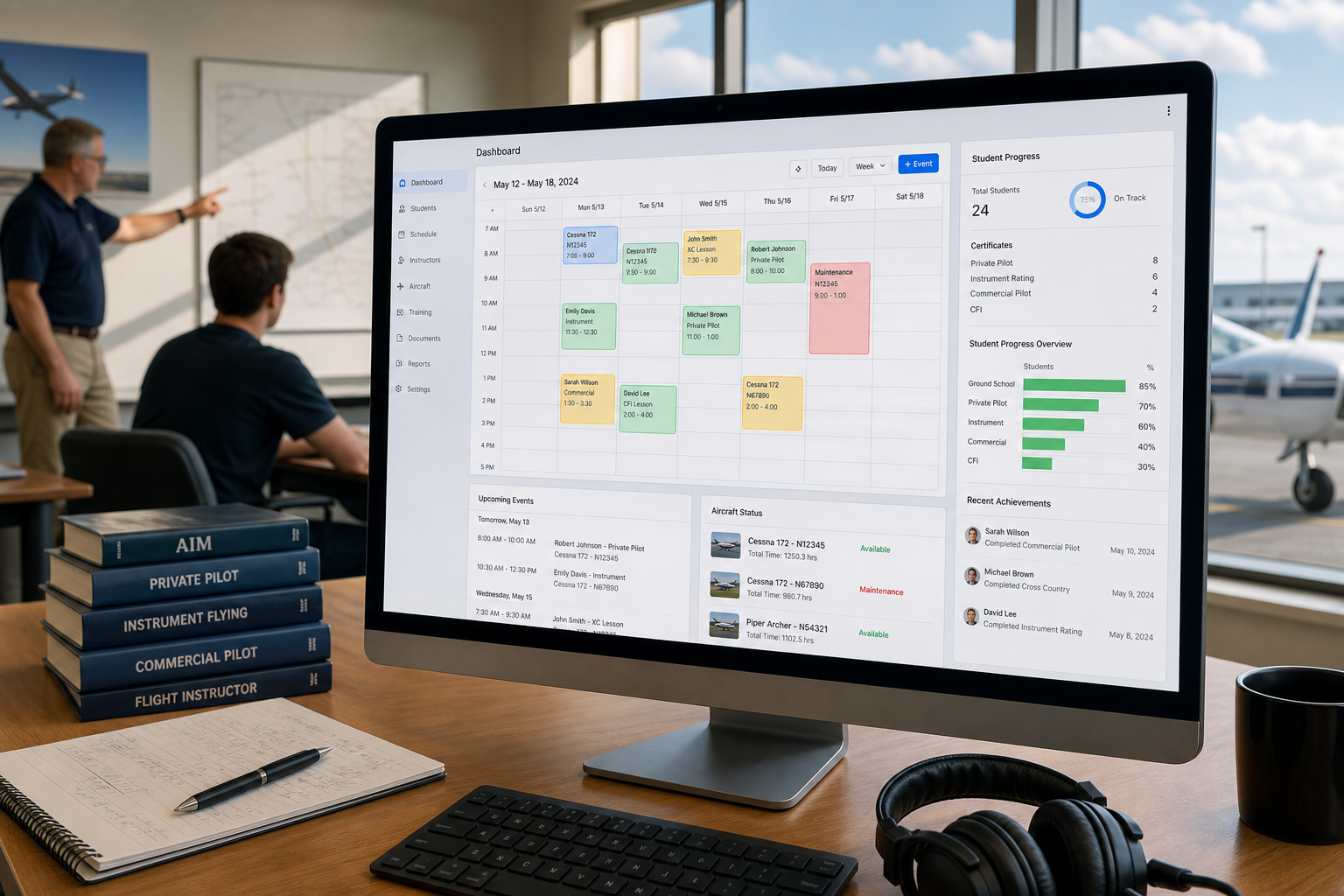
What Is Flight School Scheduling Software?
Flight school scheduling software helps aviation training organizations coordinate aircraft, instructors, students, classrooms, simulators, and training resources from a centralized platform.
Instead of relying on spreadsheets, whiteboards, or disconnected calendars, scheduling software provides a live operational view that keeps everyone working from the same information.
Modern scheduling platforms support:
- Aircraft scheduling
- Instructor scheduling
- Student bookings
- Simulator scheduling
- Classroom management
- Resource availability
- Operational reporting
How Do Flight Schools Optimize Scheduling?
The most efficient flight schools optimize scheduling by connecting people, aircraft, and training resources in one system.
Rather than manually updating multiple calendars or contacting instructors individually, schedulers can see availability in real time and make changes immediately.
An optimized scheduling process helps schools:
- Reduce administrative workload
- Improve aircraft utilization
- Minimize scheduling conflicts
- Keep students progressing
- Maximize instructor availability
- Respond quickly to operational changes
Complete Visibility Across Your Training Operation
Recover Faster from Aircraft Downtime
Aircraft maintenance and unexpected technical issues are part of every flight school's operation.
The challenge isn't avoiding downtime—it's minimizing its impact.
When scheduling is connected across the organization, operations teams can quickly:
- Identify affected bookings
- Find alternative aircraft
- Reassign instructors
- Notify students
- Adjust schedules with minimal disruption
Instead of spending hours coordinating changes manually, FlightLogger helps teams recover faster and keep training moving.
Coordinate Aircraft Scheduling with Confidence
Aircraft are among the most valuable resources in a flight school.
FlightLogger helps optimize aircraft scheduling by providing a clear overview of:
- Aircraft availability
- Scheduled flights
- Resource utilization
- Conflicting bookings
- Fleet planning
A centralized scheduling system helps reduce idle time while improving fleet utilization.
Simplify Instructor Scheduling
Managing instructor availability becomes increasingly complex as schools grow.
FlightLogger makes instructor scheduling easier by providing real-time visibility into:
- Instructor availability
- Assigned lessons
- Student pairings
- Daily schedules
- Resource conflicts
Operations teams can quickly balance workloads while ensuring students continue progressing through their training.
Reduce Scheduling Conflicts
Scheduling conflicts often happen when different departments rely on different information.
Common conflicts include:
- Double-booked aircraft
- Instructor availability changes
- Student scheduling overlaps
- Resource shortages
- Last-minute cancellations
A connected scheduling platform helps identify and prevent conflicts before they affect training.
Improve Flight School Operations
Scheduling is only one part of an efficient operation.
FlightLogger connects scheduling with:
- Student progression
- Digital training records
- Compliance
- Finance
- Safety
- Business Insights
- Maintenance
- Reporting
This gives leadership complete visibility across every operational workflow.
Why Flight Schools Choose FlightLogger
Flight schools use FlightLogger to:
- Improve scheduling efficiency
- Increase aircraft utilization
- Simplify instructor coordination
- Reduce scheduling conflicts
- Improve operational visibility
- Support student progression
- Reduce administrative workload
- Scale operations with confidence
Trusted by more than 220 flight schools in 50+ countries, FlightLogger helps organizations keep training moving—even when plans change.
Frequently Asked Questions
How do flight schools optimize scheduling?
Flight schools optimize scheduling by using software that connects aircraft, instructors, students, simulators, and classrooms in one system. Real-time visibility helps reduce conflicts, improve resource utilization, and simplify daily scheduling decisions.
How do you reduce scheduling conflicts in flight training?
Scheduling conflicts can be reduced by maintaining one centralized schedule, updating resource availability in real time, preventing double bookings, and ensuring instructors, aircraft, and students all work from the same operational data.
What is the best way to manage aircraft and instructor scheduling?
The most effective approach is to use integrated flight school scheduling software that coordinates aircraft availability, instructor schedules, student bookings, and training resources from a single platform. This reduces manual coordination while improving operational efficiency.
Why is centralized scheduling important?
Centralized scheduling gives operations teams a live overview of all resources, making it easier to respond to changes, avoid conflicts, optimize utilization, and keep training running smoothly.
What should flight school scheduling software include?
A modern scheduling platform should include:
- Aircraft scheduling
- Instructor scheduling
- Student bookings
- Simulator scheduling
- Classroom scheduling
- Resource availability
- Conflict detection
- Operational reporting
Integrated scheduling improves efficiency while reducing administrative workload.
Keep Training Moving with Connected Scheduling
Every schedule change affects instructors, students, aircraft, and operations.
FlightLogger brings scheduling, training, compliance, safety, finance, reporting, and operational oversight together in one connected platform—helping flight schools recover faster from disruptions, reduce scheduling conflicts, and make better operational decisions.