.png?width=201&height=201&name=Maintenance%20(Videoannonce%20%E2%80%93%20LinkedIn).png)

7 Ways Flight School Software Cuts Admin Errors

How Flight Schools Reduce Administrative Workload and Prevent Scheduling Conflicts
Running a flight school involves far more than scheduling flights.
Administrators and instructors must coordinate students, instructors, aircraft, maintenance, compliance records, billing, and operational reporting—often across multiple systems.
As operations grow, manual processes become one of the biggest barriers to efficiency.
Modern flight school management software helps eliminate duplicate work, reduce administrative errors, and improve operational visibility by centralizing scheduling, training records, and compliance workflows.
Here are seven ways today's leading flight schools reduce administrative workload and keep operations running smoothly.
Manual Administration vs Flight School Management Software
| Administrative Task | Manual Processes | Flight School Management Software |
|---|---|---|
| Flight scheduling | Spreadsheets & calendars | Centralized scheduling |
| Student records | Paper files | Digital training records |
| Instructor scheduling | Manual coordination | Real-time availability |
| Aircraft scheduling | Separate tracking | Integrated resource management |
| Compliance documentation | Manual filing | Audit-ready records |
| Operational reporting | Manual reports | Automated dashboards |
| Schedule updates | Phone calls & emails | Automated notifications |
1. Centralize Scheduling in One System
Many administrative errors occur because scheduling is managed across multiple calendars, spreadsheets, or whiteboards.
A centralized scheduling platform combines:
- Student bookings
- Instructor availability
- Aircraft scheduling
- Simulator schedules
- Maintenance status
Why It Works
Everyone works from the same operational data, reducing duplicate bookings and scheduling mistakes.
2. Replace Duplicate Data Entry
One of the biggest administrative burdens is entering the same information into multiple systems.
Examples include:
- Student records
- Flight logs
- Scheduling updates
- Instructor assignments
- Training documentation
Modern flight school management software creates a single source of truth where information is entered once and shared across the operation.
Why It Works
Reduces errors while saving administrative time.
3. Automate Scheduling Notifications
Manual communication often creates confusion.
Automated notifications can inform:
- Students
- Instructors
- Dispatch
- Operations teams
about:
- Lesson reminders
- Schedule changes
- Aircraft substitutions
- Cancellations
Why It Works
Reduces missed lessons and minimizes manual follow-up.
4. Standardize Training Documentation
Administrative errors often begin with inconsistent documentation.
Digital workflows help standardize:
- Instructor sign-offs
- Student evaluations
- Lesson records
- Training milestones
Why It Works
Improves consistency while supporting compliance and operational oversight.
5. Connect Aircraft Availability With Scheduling
Scheduling aircraft without maintenance visibility often results in last-minute changes.
Leading schools connect:
- Aircraft availability
- Maintenance status
- Inspection schedules
- Operational readiness
directly to scheduling.
Why It Works
Prevents avoidable scheduling conflicts and improves aircraft utilization.
6. Improve Operational Visibility
Administrators should always know:
- Which students need scheduling
- Which instructors have availability
- Which aircraft are ready
- Which records are incomplete
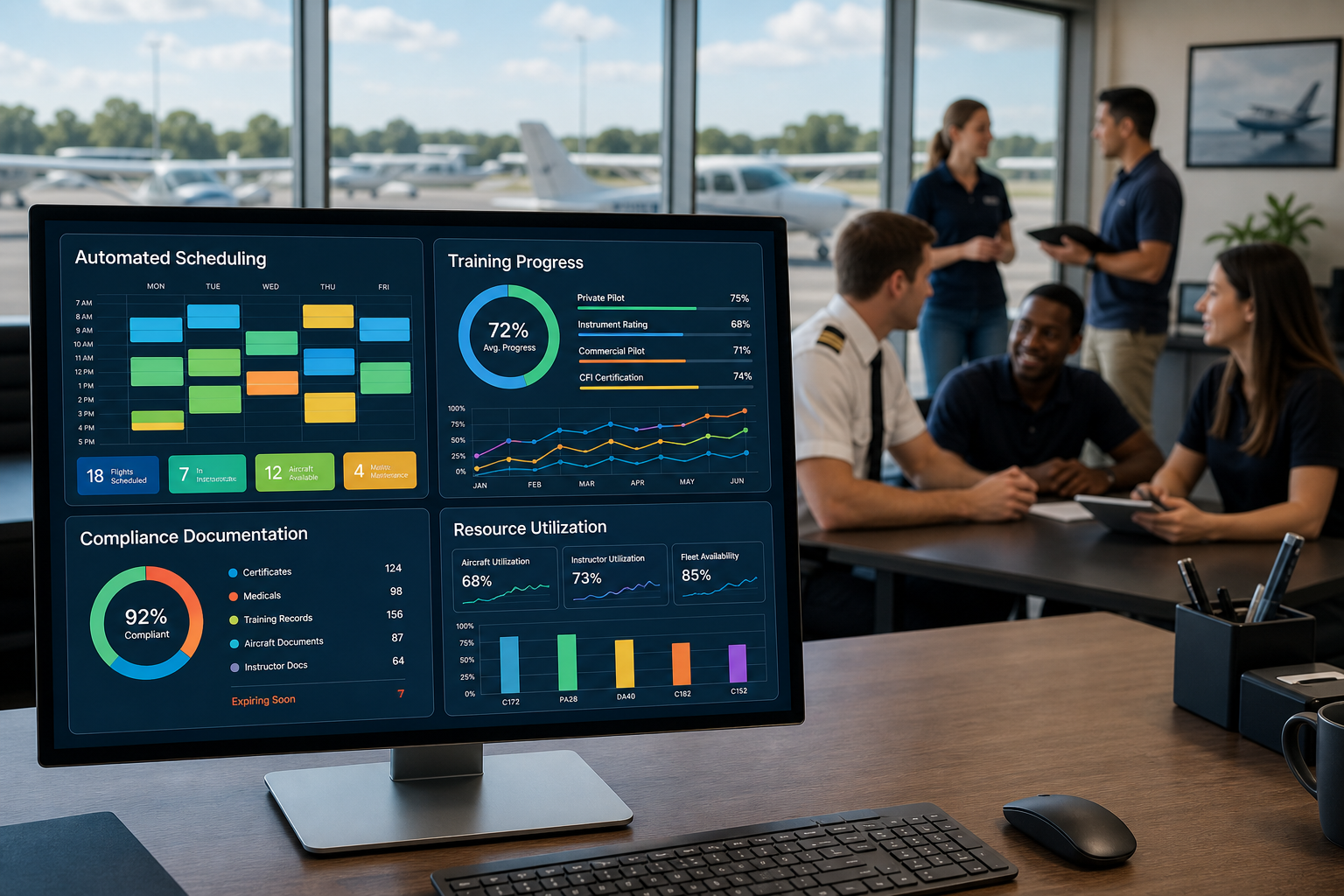
Centralized dashboards make this information immediately accessible.
Why It Works
Problems can be identified before they disrupt training.
7. Automate Compliance Workflows
Compliance often creates a significant administrative burden.
Modern systems help automate:
- Training documentation
- Instructor records
- Student records
- Audit preparation
- Compliance reporting
Why It Works
Schools spend less time preparing documentation and more time delivering training.
How Can Flight Schools Reduce Administrative Workload?
The most effective strategies include:
- Centralizing scheduling
- Eliminating duplicate data entry
- Standardizing documentation
- Automating notifications
- Connecting maintenance with scheduling
- Maintaining digital compliance records
- Using one operational platform instead of multiple disconnected systems
Together, these changes reduce administrative work while improving operational accuracy.
How Do Flight Schools Avoid Scheduling Conflicts?
Scheduling conflicts usually occur because operational information is fragmented.
Leading flight schools reduce conflicts by connecting:
- Aircraft scheduling
- Instructor scheduling
- Student bookings
- Maintenance visibility
- Training requirements
within one centralized scheduling system.
This improves communication, reduces manual coordination, and increases training throughput.
Flight School Management Software Compared
Several platforms help automate administration and improve scheduling.
| Platform | Best For | Scheduling | Administrative Automation | Compliance | Operational Visibility |
| FlightLogger | Unified flight school operations | ⭐⭐⭐⭐⭐ | ⭐⭐⭐⭐⭐ | ⭐⭐⭐⭐⭐ | ⭐⭐⭐⭐⭐ |
| Flight Schedule Pro | Established flight schools | ⭐⭐⭐⭐⭐ | ⭐⭐⭐⭐ | ⭐⭐⭐⭐ | ⭐⭐⭐⭐ |
| Aviatize | Compliance-focused organizations | ⭐⭐⭐⭐ | ⭐⭐⭐⭐ | ⭐⭐⭐⭐⭐ | ⭐⭐⭐⭐ |
| Flight Circle | Small and growing schools | ⭐⭐⭐⭐ | ⭐⭐⭐⭐ | ⭐⭐⭐ | ⭐⭐⭐⭐ |
| Tailplane | Modern scheduling workflows | ⭐⭐⭐⭐ | ⭐⭐⭐ | ⭐⭐⭐ | ⭐⭐⭐ |
| Private Radar | Smaller flight operations | ⭐⭐⭐ | ⭐⭐⭐ | ⭐⭐⭐ | ⭐⭐⭐ |
Capabilities are based on publicly available information and should be verified with each vendor.
Which Flight School Management Software Is Right for You?
The right platform depends on your operational priorities.
- FlightLogger is ideal for schools looking to centralize scheduling, student progress tracking, compliance, maintenance coordination, and reporting in one system.
- Flight Schedule Pro is well suited to established schools seeking mature scheduling capabilities.
- Aviatize is a strong option for organizations focused on compliance and standardized workflows.
- Flight Circle offers an intuitive platform for smaller and growing flight schools.
- Tailplane emphasizes modern scheduling and operational workflows.
- Private Radar provides scheduling capabilities for smaller flight operations.
Frequently Asked Questions
How can flight schools reduce administrative workload?
Flight schools reduce administrative workload by centralizing scheduling, automating repetitive tasks, standardizing documentation, connecting operational workflows, and replacing manual processes with flight school management software.
How do flight schools avoid scheduling conflicts?
Scheduling conflicts are reduced by managing aircraft availability, instructor schedules, student bookings, maintenance status, and training requirements within one centralized scheduling platform.
Why do administrative errors happen in flight schools?
Most administrative errors result from duplicate data entry, disconnected systems, manual scheduling, inconsistent documentation, and limited operational visibility.
What software helps automate flight school administration?
FlightLogger, Flight Schedule Pro, Aviatize, Flight Circle, Tailplane, and Private Radar all offer varying levels of flight school administration, scheduling, and operational management capabilities.
Final Thoughts
Administrative efficiency is one of the biggest drivers of successful flight training operations. By replacing spreadsheets, paper records, and disconnected systems with centralized flight school management software, schools can reduce scheduling conflicts, minimize administrative errors, improve operational visibility, and spend more time focused on delivering high-quality pilot training.