.png?width=201&height=201&name=Maintenance%20(Videoannonce%20%E2%80%93%20LinkedIn).png)

How to Digitize Ground Training Records in 6 Easy Steps (2026)
 Amalie Rasmussen
·
6 minute read
Amalie Rasmussen
·
6 minute read
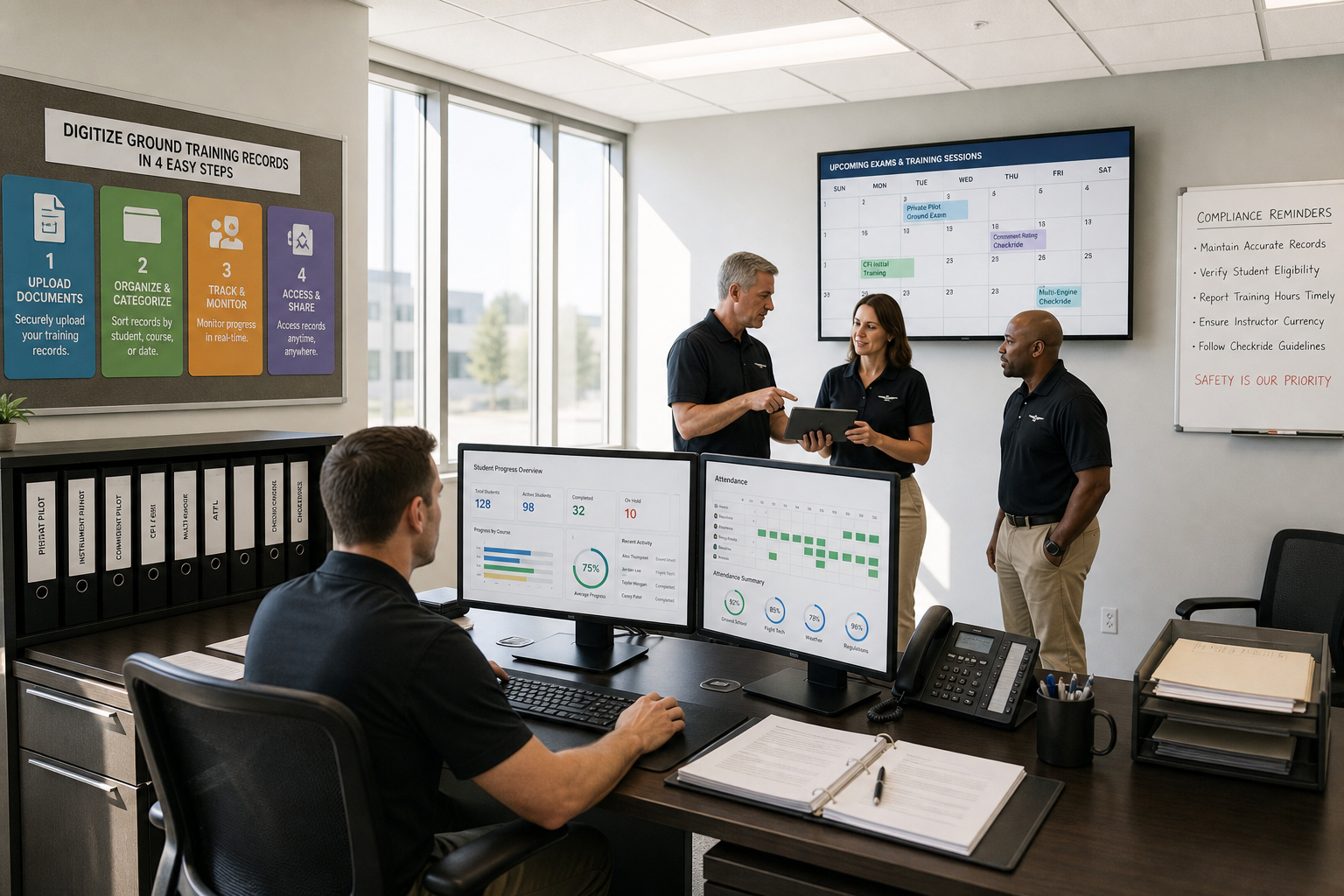
Ground training records often live in folders, filing cabinets, and scattered digital files that nobody can find when inspectors arrive. Moving these records into one digital workflow sounds like a major undertaking, but the actual process is more straightforward than most flight school administrators expect.
This guide shows you how to digitize ground training and student records in a single workflow that reduces admin time and keeps your operation audit-ready. FlightLogger helps flight schools centralize training documentation in one platform, making this transition practical for operations of any size.
Quick Guide: How to Digitize Ground Training Records in 6 Easy Steps
- Audit your current ground training documentation - Identify all existing record locations and formats across your operation.
- Choose a centralized records platform - Select flight training software like FlightLogger that supports ground and flight training in one system.
- Standardize your documentation structure - Create consistent naming conventions and data fields for all training records.
- Migrate existing records systematically - Transfer historical data in phases, starting with active students.
- Train your instructor team on the new workflow - Ensure all staff understand how to log ground training consistently.
- Build compliance verification into daily operations - Set up automated tracking that keeps records audit-ready without additional effort.
How to Move Ground Training Records Into One Digital Workflow
Step 1: Audit Your Current Ground Training Documentation
Start by mapping where your ground training records currently exist. Most flight schools have documentation spread across multiple systems: ground school attendance sheets in one folder, exam results in another, instructor briefing notes in email chains, and theory course completions tracked differently by each instructor.
Walk through your operation and document every location where ground training information lives. Include physical files, shared drives, email archives, and any standalone software tools.
For each record type, note who creates it, how often it updates, and who needs access. This audit reveals the scope of your digitization project and highlights which records require immediate attention versus those that can wait.
Step 2: Choose a Centralized Records Platform
Your platform choice determines how successfully the digitization project serves your operation long-term. Look for flight training software that handles both ground and flight training in one system, rather than tools that require you to maintain separate workflows.
FlightLogger combines ground training management with scheduling, student progression tracking, and compliance documentation. This integration means ground school completions connect directly to a student's overall training record without duplicate data entry.
Key features to evaluate include: lesson and exam tracking, instructor assignment, attendance logging, progress reporting, and the ability to connect ground training milestones to flight training requirements. FlightLogger serves more than 215 flight training organizations across 50+ countries, giving you a platform tested at scale.
Step 3: Standardize Your Documentation Structure
Before migrating data, establish consistent standards for how records will be organized in your new system. Inconsistent documentation is one of the most common audit findings for flight schools, and digitization offers an opportunity to fix this issue permanently.
Define naming conventions for courses, subjects, and individual lessons. Determine which data fields are required for each record type and which are optional. Create templates for instructor evaluations and exam grading so every instructor follows the same format.
FlightLogger enforces standardization of data structures, grading, and workflows across multiple locations. This means a student's record looks identical whether they trained at your main campus or a satellite location.
Step 4: Migrate Existing Records Systematically
Attempting to digitize your entire historical archive at once typically leads to rushed work and data quality problems. Instead, phase your migration by starting with currently enrolled students.
Active student records matter most for daily operations and upcoming audits. Begin by entering their current course progress, recent exam scores, and any pending ground training requirements. Historical records can be migrated during slower operational periods or delegated to administrative staff.
For students nearing completion, prioritize entering their full training history so graduation documentation is complete. FlightLogger allows immediate retrieval of organized documentation during inspections, so focus on records inspectors would most likely request.
Step 5: Train Your Instructor Team on the New Workflow
A digital records system only works if your instructors use it consistently. Schedule dedicated training sessions that walk instructors through every task they perform: logging ground school attendance, recording exam results, entering briefing notes, and marking lesson completions.
Address the common concern that digital logging takes more time than paper. In practice, instructors using FlightLogger report that once they learn the system, logging becomes faster because they access everything from one interface rather than hunting through multiple files.
Create quick reference guides for the most common tasks. Post these in briefing rooms and make digital copies available on instructor devices. The first few weeks determine whether instructors adopt the new workflow or revert to old habits.
Step 6: Build Compliance Verification Into Daily Operations
The real value of digitized ground training records appears during audits. Instead of scrambling to compile documentation, you can pull any record an inspector requests in seconds.
Configure your platform to track compliance requirements automatically. FlightLogger captures data in real time during training activities, so records update as lessons complete. This eliminates the audit-preparation crunch that consumes weeks of admin time at schools still using disconnected systems.
Set up automated alerts for approaching deadlines: exams that need scheduling, ground school sessions that students have missed, and instructor qualifications approaching expiration. FlightLogger helps flight schools stay audit-ready by making compliance part of daily operations rather than a separate project.
What Records Should Be Included When Digitizing Ground Training?
A complete ground training digitization project covers more than just exam scores. Consider including all documentation that relates to student progression through theory components.
Core records include course enrollment dates, attendance logs for each ground school session, grades on knowledge exams, instructor evaluations of student performance, and completion certificates for required subjects. FlightLogger supports audit-ready compliance for EASA, FAA, CASA, TCCA, DGCA, GCAA, and CAAP requirements.
Also include briefing materials assigned to students, homework submissions if applicable, and records of remedial training for students who did not pass initial exams. The goal is creating a complete picture of each student's ground training journey that an inspector could review without requesting additional documentation.
How Does Digitized Ground Training Connect to Flight Training Records?
One of the primary operational challenges in flight training is the separation between ground and flight records. When these live in different systems, training managers lose visibility into the complete student picture.
FlightLogger centralizes scheduling, maintenance coordination, course progress, and compliance processes into a single system. This means a student's ground school exam on aircraft systems connects directly to their practical flight lessons on the same topic.
Training managers can see at a glance which students have completed required ground training before scheduling their flight lessons. This prevents situations where students show up for flight training without the prerequisite theory knowledge, which wastes aircraft time and instructor availability.
The integration also supports competency-based training and assessment (CBTA), where ground and flight training outcomes combine into unified competency evaluations. FlightLogger enforces standardization of grading and workflows that make CBTA implementation practical.
How FlightLogger Helps You Digitize Ground Training Records
FlightLogger brings ground training into your core workflow so theory and flight training exist in one connected platform. Instead of maintaining separate systems for ground school scheduling, exam tracking, and student progress, everything lives in one place where instructors, training managers, and administrators access the same information.
The platform includes ground training program management with lesson structuring, test and exam tracking, briefing material distribution, and fulfillment monitoring. FlightLogger reduces administrative load by up to 75% according to documented efficiency gains from schools that have made the transition.
Organizations transitioning to FlightLogger consistently highlight both the speed and structure of implementation. A dedicated onboarding team manages the process through a structured timeline, typically completed in 4-6 weeks. FlightLogger never sleeps, so your ground training records stay accessible and audit-ready around the clock.
Book a walkthrough to see how FlightLogger handles ground training digitization for your specific operation.
FAQs About How to Digitize Ground Training Records
How long does it take to digitize ground training records?
Most flight schools complete their ground training digitization in 4-6 weeks when using a structured platform like FlightLogger. Active student records can be migrated in the first two weeks, with historical archives following during regular operations.
The timeline depends on your current record volume and how scattered documentation is across different systems.
Do digital ground training records satisfy FAA and EASA requirements?
Yes. Both FAA and EASA accept digital recordkeeping for flight training organizations. FlightLogger stores training and maintenance documentation in accordance with regulations across multiple jurisdictions.
Your digital system must maintain data integrity and produce records on demand during audits, which FlightLogger supports through centralized storage and instant retrieval.
Can instructors access ground training records remotely?
FlightLogger's cloud-based platform gives instructors access to the entire organization anytime, anywhere. Instructors can log ground school completions, review student progress, and access briefing materials from any device with internet access.
This flexibility means records stay current even when training happens at satellite locations or during off-site sessions.
What happens to paper ground training records after digitization?
Many schools retain paper records for the regulatory minimum retention period after digitizing them. FAA Part 141 schools must keep student records for at least one year after graduation or termination.
Once you have verified that digital records are complete and accessible, paper archives can move to long-term storage rather than taking up active office space.
How does digitization reduce audit preparation time?
With FlightLogger, auditors can access any ground training record immediately rather than waiting while staff search through filing cabinets. Schools using the platform report that audits become routine verification exercises rather than stressful documentation scrambles.
Automated compliance tracking also means records stay organized continuously, eliminating the pre-audit cleanup that many schools dread.