


What's New in FlightLogger: Unpublished Bookings, Multiple Grading Scales, and Smarter Maintenance
 Amalie Rasmussen
·
4 minute read
Schedulers plan in drafts. Aircraft need time on the ground between flights. Some sessions can only be flown on a certain type, and not every overdue maintenance item is equally serious.
Until now, flight schools often had to manage that nuance around their system instead of in it. Our latest release changes that. It brings seven new features across scheduling, maintenance, and training, all built around how flight schools actually run their day.
What's new:
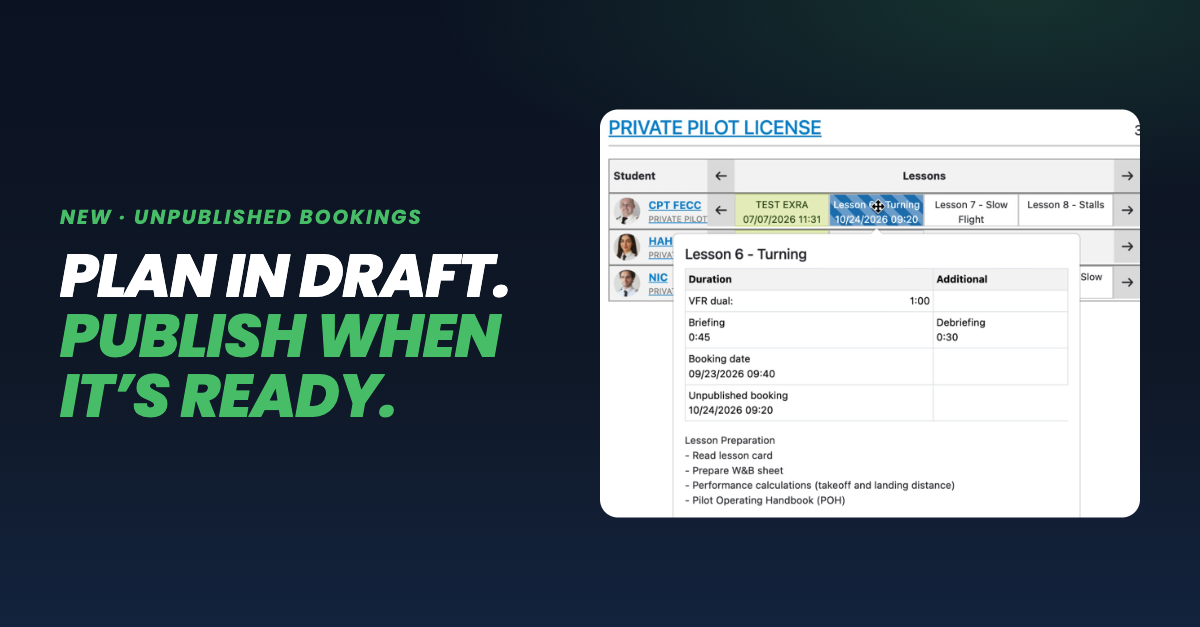
- Unpublished bookings: build your schedule in draft and publish it when it's ready
- Aircraft model prerequisites: decide which aircraft models a program or session may be flown on
- Buffer time: protected time for the walk-around, start-up, and shut-down
- Blocking and non-blocking maintenance: critical items ground the aircraft, minor items warn
- Multiple grading scales: grade each program to the standard it's trained to
- Hold item flexibility: instructors can set aside an exercise that can't be flown in a given session
- Notification center: every change that concerns you, in one place
Unpublished bookings: plan in draft, publish when it's ready
This is one of the features our customers have asked for most.
Until now, every booking in FlightLogger went live the moment it was saved. Students and instructors saw it right away, emails went out, and conflicts were flagged while the scheduler was still moving things around. Schools that plan a day or a week at a time had two options: build the schedule somewhere else, or let a stream of half-finished changes reach their students.
With unpublished bookings, your scheduling team can build next week's schedule as a draft, directly on the booking screen. Drafts are only visible to the people you give access to, and no emails are sent until a booking is published. When the plan is ready, you publish a single booking or a whole day at once.
Publishing works exactly as if the booking were created live at that moment. Your existing rules still apply, so nothing slips through just because it started as a draft. You can even sketch alternative plans side by side before deciding which one goes out.
The result: the schedule your students and instructors receive is the finished one.
Aircraft model prerequisites: the right session on the right aircraft
Type-specific syllabi, regulatory requirements, and fleet policy often mean a session has to be flown on a particular aircraft. The multi-engine phase belongs on the twin. Instrument sessions may need a specific simulator.
Until now, enforcing that depended on schedulers remembering it. Now the rule lives in the program itself. You choose which aircraft models a program, a revision, or a single session may be flown on, and FlightLogger applies it to every booking and flight registration automatically. If the wrong aircraft is selected, the booking can't be saved until an eligible one is chosen.
Buffer time: protect the walk-around and turnaround
Many schools have worked around tight turnarounds by booking flights longer than planned, or by adjusting briefing times by hand. Buffer time replaces those workarounds with one school-wide setting.
You set a default buffer before and after each flight, for example 20 minutes before and 10 after. During that time, the aircraft, instructor, and student are all held. If another booking cuts into the buffer, it's flagged as a conflict, so you see tight turnarounds on the screen before they become a problem on the ramp.
Buffer time is for scheduling only. It never counts as flight time and is never billed.
Blocking and non-blocking maintenance: ground the aircraft only when it matters
Until now, maintenance blocking in FlightLogger was all or nothing. Once it was switched on, every overdue item grounded the aircraft, so a minor cabin item counted the same as an overdue 100-hour inspection. Schools had to choose between grounding aircraft over small items or not using blocking at all.
Now you decide per maintenance type. Critical items block the aircraft from being booked, registered, or dispatched. Minor items raise a warning instead, and that warning still shows up in all the usual places, so nothing goes unnoticed.
Your aircraft stay available, and your safety standards stay exactly where they are.
Multiple grading scales: one account, several training standards
Until now, a FlightLogger account had one grading scale for all of its training. Schools training cadets for several airlines, each with its own grading standard, had to grade everyone on the same scale or run a second account.
Now one account can hold up to five grading scales, and each program is graded on the scale that fits it. Instructors only see the grades from that program's scale, and averages, progress, and statistics are all calculated on it. Once the first student is enrolled, the scale is locked, so a student's grades mean the same thing from their first session to their last.
Hold item flexibility: keep registrations moving
Sometimes an exercise on the hold item list simply can't be flown in the session where it's due, like stalls on a solo flight or multi-engine work in a single-engine aircraft. Until now, that blocked instructors from registering a session that was legitimately flown.
If your school allows it, instructors can now set the exercise aside for that one session. The skipped exercise stays visible on the record, marked as deliberately ignored, so anyone reviewing it can see it wasn't forgotten. On the next session, the requirement is back.
Notification center: every change that concerns you, in one place
Flight schools deal with constant change. Bookings move, weather cancels flights, and certificates run out. Until now, FlightLogger shared those changes by email, and emails are easy to lose in a busy inbox.
The new notification center brings booking changes, expiring certificates, and sessions ready to sign together in one place, right inside FlightLogger. Each notification shows exactly what changed (for example, "Now 14:00, was 10:00") and links straight to the booking, certificate, or session it's about.
It's designed not to overwhelm. A booking moved three times in ten minutes shows up as one notification, and you're never notified about changes you made yourself.
For your school, that means fewer missed bookings, fewer "did you see the change?" phone calls, certificates renewed on time, and sessions signed faster.
Built around how your school runs
Every feature in this release starts from the same question: how do flight schools actually work day to day? Most of it is off by default, so each school can switch on what fits its operation, when it's ready.
Already a FlightLogger customer? You'll find the full release note, with short walkthrough videos for each feature, inside FlightLogger.
Want to see it in action? Book a demo and we'll show you how FlightLogger can work for your school.