.png?width=201&height=201&name=Maintenance%20(Videoannonce%20%E2%80%93%20LinkedIn).png)

How to Digitize a Flight School in 7 Easy Steps
 Amalie Rasmussen
·
6 minute read
Amalie Rasmussen
·
6 minute read
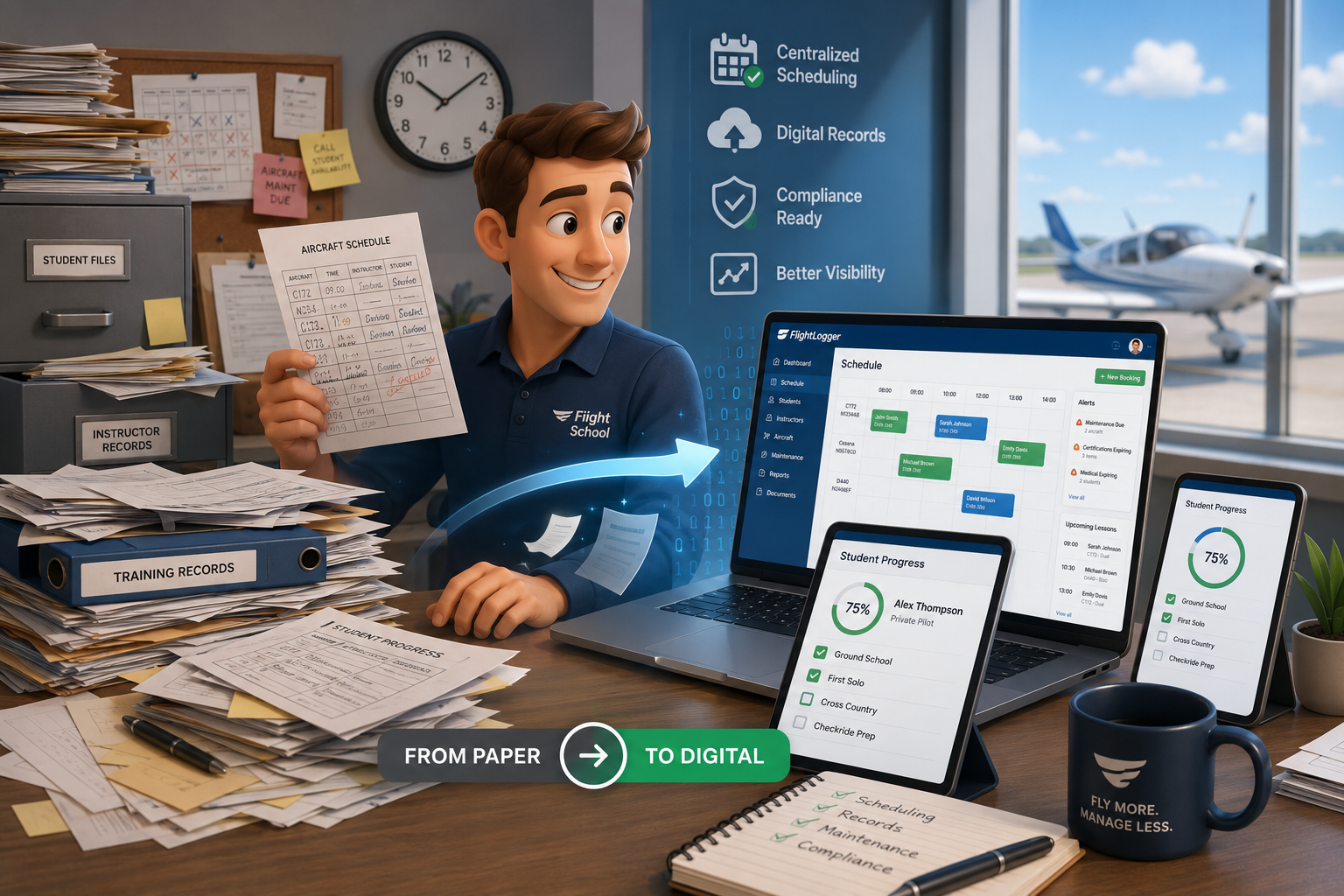
You digitize a flight school in 7 steps: audit your workflows, set goals, choose one management platform such as FlightLogger, migrate your training records, connect scheduling with maintenance, train your team, and refine as you go.
Running a flight school means managing a constant flow of schedules, training records, student progress, and compliance documentation. If you're still relying on paper-based systems, you already know the friction points: lost files, scheduling conflicts, and scrambling before audits. FlightLogger gives you a clear path to unify your operations in one digital system.
This guide walks you through exactly how to digitize a flight school, step by step. You'll learn what to prioritize, how to manage the transition, and what to expect once your new system is running. Let's get started.
Quick Guide: How to Digitize a Flight School in 7 Easy Steps
- Audit your current workflows — Document every paper-based process, from scheduling to recordkeeping, before you change anything.
- Define your digitization goals — Set clear targets for what you want the new system to accomplish.
- Choose a flight school management system — Select a platform like FlightLogger that handles scheduling, records, and compliance in one place.
- Migrate your training records — Transfer student files, instructor records, and historical data into the digital system.
- Connect scheduling with maintenance — Sync aircraft availability with training blocks to prevent conflicts.
- Train your team on the new system — Run focused sessions so instructors and staff can use the platform confidently.
- Monitor and refine your digital operations — Track key metrics and adjust workflows as your team adapts.
How to Move Your Flight School From Paper to Digital
1. Audit Your Current Workflows
Start by mapping every process that currently runs on paper. This includes how you schedule aircraft and instructors, how students book lessons, how grades are recorded, and how you prepare for regulatory audits.
Walk through a typical week and note where bottlenecks occur. Are instructors filling out duplicate forms? Are students waiting while someone searches for a file? These pain points will help you prioritize what to digitize first.
Involve your chief flight instructor and administrative staff in this review. They'll have insights into daily inefficiencies that may not be obvious from a leadership perspective. The goal here is a complete picture of your current state before making any changes.
2. Define Your Digitization Goals
Decide what success looks like for your flight school. Are you primarily focused on reducing audit preparation time? Eliminating scheduling conflicts? Improving visibility into student progress? Write down specific, measurable targets.
For example, a goal might be: "Reduce time spent compiling student records for audits from 10 hours to under 1 hour." Another could be: "Eliminate double bookings on aircraft entirely." These targets will guide your system selection and implementation approach.
Having clear goals also helps you evaluate results after the transition. You'll know exactly what to measure and whether your new system is delivering the expected value.
3. Choose a Flight School Management System
The right platform should handle scheduling, student tracking, instructor management, maintenance coordination, and compliance documentation in one unified system. Avoid the temptation to piece together multiple tools—this creates the same fragmentation you're trying to eliminate.
FlightLogger centralizes your entire operation into a single platform. Scheduling, student records, grading, and compliance are all connected, so data flows automatically between functions. This eliminates the need for manual re-entry and reduces errors.
When evaluating options, check that the platform supports your regulatory environment (FAA, EASA, or other authorities). Also confirm that the vendor has aviation-specific experience—general business software rarely handles the unique requirements of flight training.
4. Migrate Your Training Records
Transferring existing student files and historical data is often the most time-intensive part of digitization. Plan this carefully. You have two main options: transfer records entry by entry for a complete historical archive, or transfer summary totals and start fresh from a specific date.
For Part 141 schools or ATOs, complete historical records are usually essential for compliance. Part 61 operations may have more flexibility to start fresh. Consult your aviation authority's guidance on electronic recordkeeping before deciding.
AOPA's guidance on digitizing logbooks confirms that digital records are FAA-acceptable when they contain the required information. The key is ensuring accuracy during the transfer process.
5. Connect Scheduling With Maintenance
One of the biggest gains from digitization is syncing your training schedule with aircraft maintenance. When these systems are integrated, you avoid booking aircraft that are due for inspections or repairs.
A unified system automatically blocks aircraft when maintenance is scheduled. It also alerts you when an aircraft is approaching an inspection window, so you can plan training around it instead of scrambling at the last minute.
This integration reduces unplanned aircraft downtime and scheduling conflicts, because maintenance needs are visible before lessons are booked rather than discovered on the day.
6. Train Your Team on the New System
Even the most capable platform fails if your team doesn't know how to use it. Schedule dedicated training sessions for instructors, administrative staff, and students. Focus on the specific tasks each group performs daily.
Instructors need to know how to log flights, record grades, and access student records. Administrative staff need to manage scheduling, run reports, and handle compliance documentation. Students need to understand how to view their progress and book lessons.
Hands-on practice is more effective than demonstrations. Let each group work through real scenarios in a test environment before you go live. This builds confidence and reduces support requests after launch.
7. Monitor and Refine Your Digital Operations
Once your system is running, track the metrics you defined in step two. Are scheduling conflicts dropping? Is audit preparation faster? Are instructors spending less time on paperwork?
Use the reporting features in your platform to identify remaining bottlenecks. If lesson no-shows are still high, you might enable automated reminders. If certain reports take too long to generate, you might adjust your data entry practices.
Digital operations are not set-and-forget. Build a rhythm of monthly or quarterly reviews to keep improving. FlightLogger offers analytics dashboards that make this kind of ongoing optimization straightforward.
What Should a Flight School Management System Include?
A complete system handles four core functions: scheduling, student management, compliance, and maintenance coordination. Each function should connect to the others so data moves automatically.
Scheduling includes aircraft, instructors, classrooms, and simulators. The system should prevent double bookings and send automated notifications when changes occur. Mobile access is important so instructors and students can check availability on the go.
Student management covers enrollment, training records, grading, and progress tracking. Digital endorsements and signatures should meet your aviation authority's requirements. The ability to generate reports for individual students or cohorts is essential for oversight and audit preparation.
Compliance features should include automated alerts for expiring certifications, document storage, and audit-ready reporting. Maintenance coordination syncs aircraft inspections with your training schedule to prevent conflicts and maximize fleet utilization.
How Long Does It Take to Digitize a Flight School?
A typical FlightLogger implementation is completed within 4–6 weeks, including data migration, configuration, and staff training. Larger academies with multiple locations and extensive historical records may need more time to migrate all of their archive data.
Simple Aviation Training, a European ATO delivering type rating and instructor courses, implemented FlightLogger in record time and achieved full digital operations across all training programs. Their transition was accelerated by starting with clearly defined goals and a structured migration plan.
The most important factor is preparation. Schools that audit their workflows thoroughly and set clear goals before implementation move faster than those that skip this step. Rushing the planning phase often leads to delays during migration.
How FlightLogger Helps You Digitize Your Flight School
FlightLogger brings your entire operation—scheduling, student records, compliance, and maintenance—into one platform. Instead of switching between tools and re-entering data, everything flows together automatically.
FlightLogger simplifies scheduling with real-time visibility into instructor and aircraft availability. Conflicts are flagged instantly, and automated notifications keep everyone informed of changes. Students can book lessons directly, reducing administrative workload for your staff.
For compliance, FlightLogger stores all required documentation in a centralized, audit-ready format. Automated alerts notify you before certifications expire. When auditors arrive, you can pull records in seconds instead of hours.
Flight schools using FlightLogger report 30–50% efficiency gains and 20+ hours of admin time saved per month. Sevenair Academy reduced admin by 30% after moving its operations into FlightLogger, so instructors spend less time on paperwork and more time teaching.
Ready to see how it works for your school? Book a demo and explore what a fully digital flight school looks like.
FAQs About How to Digitize a Flight School in 2026
Are digital training records accepted by the FAA?
Yes, the FAA accepts digital training records when they contain all required information and meet the electronic signature guidance in Advisory Circular 120-78A. When choosing a platform, check that its digital sign-offs meet these requirements for your operation.
How much does it cost to digitize a flight school?
Costs vary based on your school's size and the platform you choose. Most flight school management systems, including FlightLogger, offer usage-based pricing that adapts to your activity levels. This means you pay for what you use rather than a fixed fee regardless of operations.
Can I keep my existing scheduling system and just add digital records?
You can, but this approach often creates new inefficiencies. Separate systems require manual data transfer between them, which introduces errors and extra work. FlightLogger connects scheduling and records in one platform so data flows automatically.
What happens to my paper records after I digitize?
Retain your original paper records according to your aviation authority's requirements. The FAA and EASA have specific retention periods for training documentation. Once those periods pass, you can securely destroy physical copies while maintaining your digital archive.
How do I handle students who started training on paper?
Transfer their existing records into the digital system before continuing training digitally. FlightLogger allows you to import historical data and link it to ongoing progress. This creates a complete training record that spans both paper and digital periods.
Will my instructors need technical training to use the system?
Modern flight school management platforms are designed for ease of use. FlightLogger features an intuitive interface that instructors can learn quickly. Most schools run focused training sessions of a few hours, followed by hands-on practice, before going live.