.png?width=201&height=201&name=Maintenance%20(Videoannonce%20%E2%80%93%20LinkedIn).png)

8 Key Data Points Flight Schools Need for Pilot Progress
 Amalie Rasmussen
·
4 minute read
Amalie Rasmussen
·
4 minute read
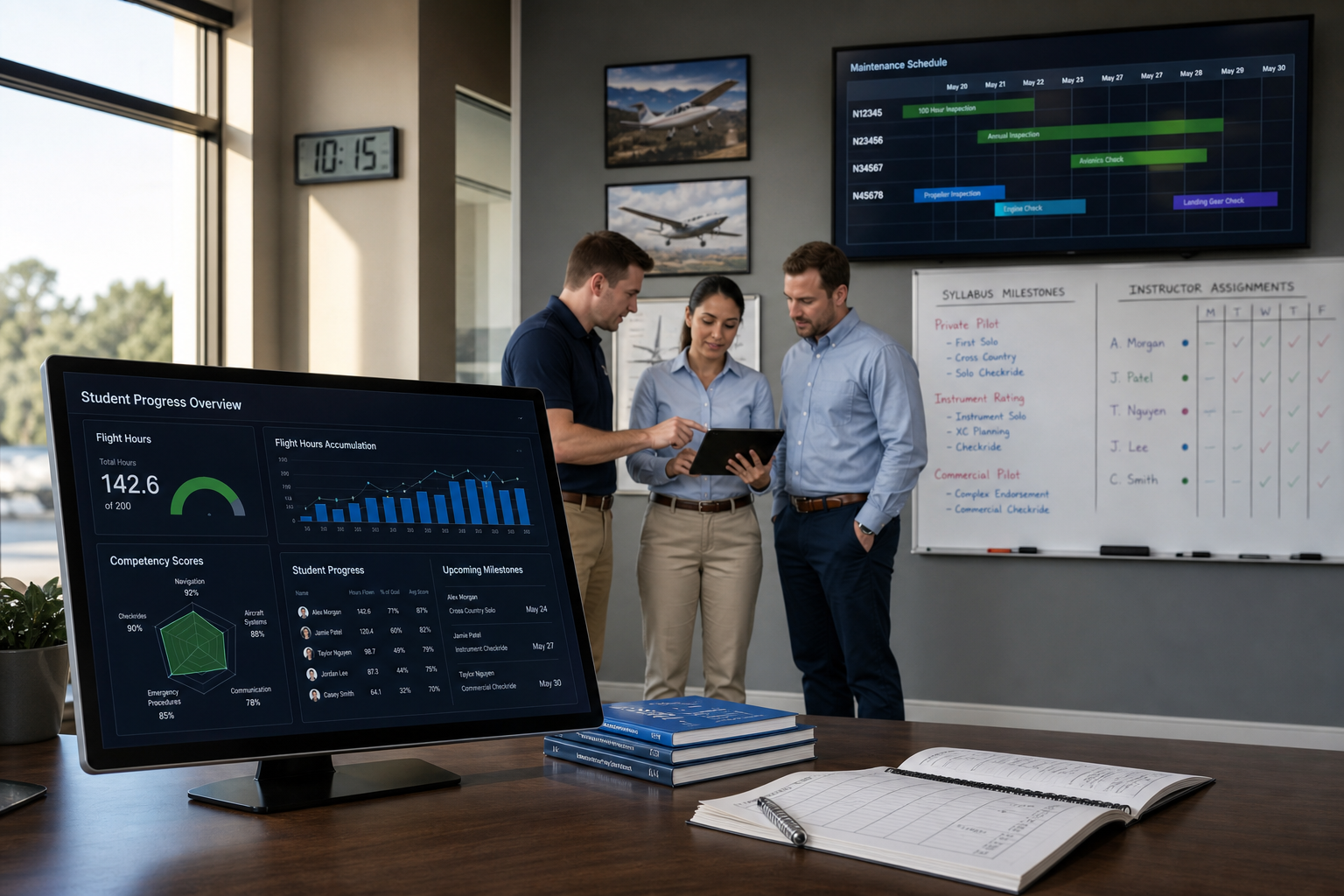
Running a flight school means coordinating dozens of moving parts every day. Students are progressing through training stages, aircraft are booked back-to-back, and instructors manage full schedules. Tracking all of this across disconnected systems puts your operation at risk of missed milestones and delayed completions.
Knowing which data points to capture digitally changes how you manage student pilot progress. FlightLogger gives you a centralized system built for flight training operations, connecting scheduling, grading, and compliance in one place. This article covers the eight data points your school should track.
Key Takeaways: Data Points for Tracking Student Pilot Progress
- Flight hour accumulation and remaining requirements per certificate stage drive scheduling decisions and resource allocation.
- Competency-based grading records help instructors identify and address skill gaps before they delay stage checks.
- Syllabus milestone completion rates reveal which students are on pace and which need priority attention.
- FlightLogger captures attendance, scheduling, and compliance data in one connected platform for real-time operational visibility.
- Medical and certificate expiration tracking prevents training interruptions and scheduling conflicts caused by lapsed documentation.
Essential Data Points for Digital Student Pilot Progress Tracking
1. Flight Hour Accumulation by Training Stage
Every certificate program requires a minimum number of flight hours across specific categories: dual instruction, solo, cross-country, and instrument time. Tracking these hours digitally by training stage (rather than as a single total) shows you where each student stands against Part 141 or Part 61 requirements.
When your system breaks hours into categories automatically, you can spot shortfalls early. A student approaching their stage check with insufficient cross-country time needs priority scheduling before the gap delays their progression. This visibility also helps your dispatching team allocate aircraft more effectively across the fleet.
2. Competency-Based Grading and Assessment Scores
ICAO's competency-based training and assessment (CBTA) framework has shifted how regulators evaluate pilot readiness. Tracking individual competency scores (such as flight path management, communication, and situational awareness) gives instructors a structured picture of each student's strengths and development areas.
Digital grading records make it possible to compare performance across instructors and identify students who may need additional attention on specific maneuvers or decision-making skills. Standardized competency records also support audit readiness because regulators can review structured data instead of interpreting handwritten notes.
3. Syllabus Milestone Completion Rates
Completion percentages tell you where a student is in their program. Completion rates tell you whether they'll finish on time. Tracking the pace at which students complete syllabus milestones (pre-solo, solo cross-country, instrument proficiency, stage checks) reveals bottlenecks in your scheduling workflow.
FlightLogger's Student Progression module calculates a Required Pace for each student based on their program goals and compares it against Booked Pace from your actual schedule. When Booked Pace drops below Required, training managers can intervene immediately rather than discovering delays weeks later.
4. Ground Training Completion and Theory Exam Results
Flight and ground training are two halves of the same program. When they're tracked separately, students may reach a stage check only to discover they haven't completed the required theory modules. Digital tracking connects ground school completion directly to flight training eligibility.
Recording quiz scores, module completion timestamps, and instructor sign-offs in the same system as flight records creates a single source of truth. Connected systems also flag when a student finishes pre-solo ground school, automatically updating their scheduling permissions for solo flights.
5. Attendance and No-Show Patterns
Missed lessons affect more than a single training day. Repeated cancellations delay progression, waste scheduled aircraft time, and create scheduling ripple effects across your operation. Tracking attendance data digitally helps you identify patterns before they become problems.
A student who cancels frequently during certain days of the week or during specific weather seasons may benefit from schedule adjustments. Automated notifications that remind students of upcoming bookings also reduce no-show rates, keeping your fleet utilization high and your training timelines intact.
6. Instructor Assignment and Continuity Records
Student progress isn't only affected by what they fly. Who instructs them matters, too. Tracking which instructors work with which students (and how often those assignments change) helps training managers maintain consistency.
Frequent instructor changes can slow a student's development because each new instructor needs time to assess the student's current level. Digital records of instructor assignments, paired with standardized grading, help your team maintain training continuity even when scheduling requires instructor swaps. This data also helps chief flight instructors evaluate workload distribution across the instructor team.
7. Medical and Certificate Expiration Dates
An expired medical certificate stops training immediately. So does a lapsed instructor certificate, BFR, or flight review. Tracking these dates digitally with automated alerts prevents the scenario where a student arrives for a lesson and discovers their medical expired yesterday.
FlightLogger monitors certificate and medical expirations across your entire operation, alerting the right people before deadlines pass. This kind of proactive tracking supports audit-ready compliance because your documentation stays current as a natural part of daily operations rather than something you scramble to assemble before an inspection.
8. Aircraft Utilization and Maintenance Alignment
Student progress depends on aircraft availability. When maintenance schedules aren't connected to your training calendar, students lose booked sessions and fall behind. Tracking aircraft hours, upcoming inspections, and maintenance status alongside student bookings keeps your fleet aligned with your training goals.
FlightLogger's integrated maintenance module automatically blocks aircraft approaching inspection windows and adjusts scheduling recommendations accordingly. This means your dispatching team can redistribute students to available aircraft before a cancellation happens, keeping progression timelines on track across your entire operation.
Why Digital Progress Tracking Strengthens Your Flight School Operation
These eight data points work together. Flight hours, competency scores, attendance records, and maintenance alignment don't exist in isolation. When they're captured in one connected system, your training managers get real-time visibility into which students need attention, which instructors are carrying the heaviest load, and which aircraft are driving the highest throughput.
FlightLogger connects all of these data points in a single platform built for flight training. Serving more than 215 organisations across 50+ countries, FlightLogger helps flight schools turn operational data into operational decisions.
Want to see how your operation stacks up? Book a walkthrough and see FlightLogger in action.
FAQs about Key Data Points Flight Schools Need to Track Student Pilot Progress Digitally
What data should flight schools track for student pilot progress?
Flight schools should track flight hours by training stage, competency-based grading scores, syllabus milestone completion rates, ground training results, attendance patterns, instructor assignments, medical expirations, and aircraft utilization. FlightLogger captures all of these data points in one connected system.
How does digital tracking differ from paper-based training records?
Digital tracking updates in real time, connects related data automatically, and makes records searchable during audits. Instead of assembling information from multiple folders, your instructors and training managers see a complete student picture in a single view.
Can digital progress tracking help with regulatory compliance?
Yes. Digital systems generate compliance documentation as a by-product of daily operations. FlightLogger supports audit-ready compliance for EASA, FAA, CASA, TCCA, and other regulatory frameworks, keeping your records organized and immediately accessible during inspections.
How does FlightLogger track student progression pace?
FlightLogger calculates a Required Pace for each student based on their program goals and desired completion date. It compares this against Booked Pace from your schedule, flagging students who fall behind so training managers can intervene before delays accumulate.
What role does attendance data play in pilot progress tracking?
Attendance data reveals cancellation patterns that delay student progression and reduce aircraft utilization. Tracking no-show rates digitally helps you adjust schedules proactively, send automated reminders, and redistribute resources to keep training timelines on track.
Is it possible to track pilot progress across multiple campuses?
Cloud-based systems like FlightLogger support multi-campus operations with centralized data. Students can train at different locations while their records, scheduling, and compliance documentation stay connected and visible to operational leaders at every site.